

Product Updates
Get the latest platform updates, features, and announcements—all in one place.
Boost Video Accessibility with the GenAI Video PowerPack!
Try Now
Supercharge Your Compliance Efforts with AutoPilot Remediation Max!
Try Now
Strengthen Your PDF Accessibility Efforts with Structural Remediation Max!
Try Now
Don't Miss Any of Our Upcoming Webinars—Save Your Spot!
Register
The YuJa Community is here! Connect, get updates, and access exclusive content.
Join Now

Get the latest platform updates, features, and announcements—all in one place.
Over the next few weeks, YuJa Structural Remediation will be adding a new feature that allows you to reorder elements in PPTX to ensure correct reading order.
Ensure Correct Reading Order in PPTX Documents By Reordering Elements
The Structural Remediation Max Module has been updated to support the reorganization of PPTX elements to ensure that reading order issues can be properly addressed. By utilizing the new drag-and-drop interface, creators can confirm that their presentations maintain a logical flow, allowing assistive technologies like screen readers to relay content accurately.
Over the next few weeks, exciting features such as added proctoring flags, new response submission formats, and real-time guided support will be introduced to the YuJa Verity Test Proctoring Platform to provide more flexibility, security, and simplicity to online assessments.
New Capability to Create Assessments Directly Using the Verity Interface
YuJa Verity now supports assessment creation directly from the platform interface, allowing faculty to build and configure proctoring settings for quizzes and assignments in a singular flow directly in Verity without needing to first create the assessment in their LMS.
Key features include:
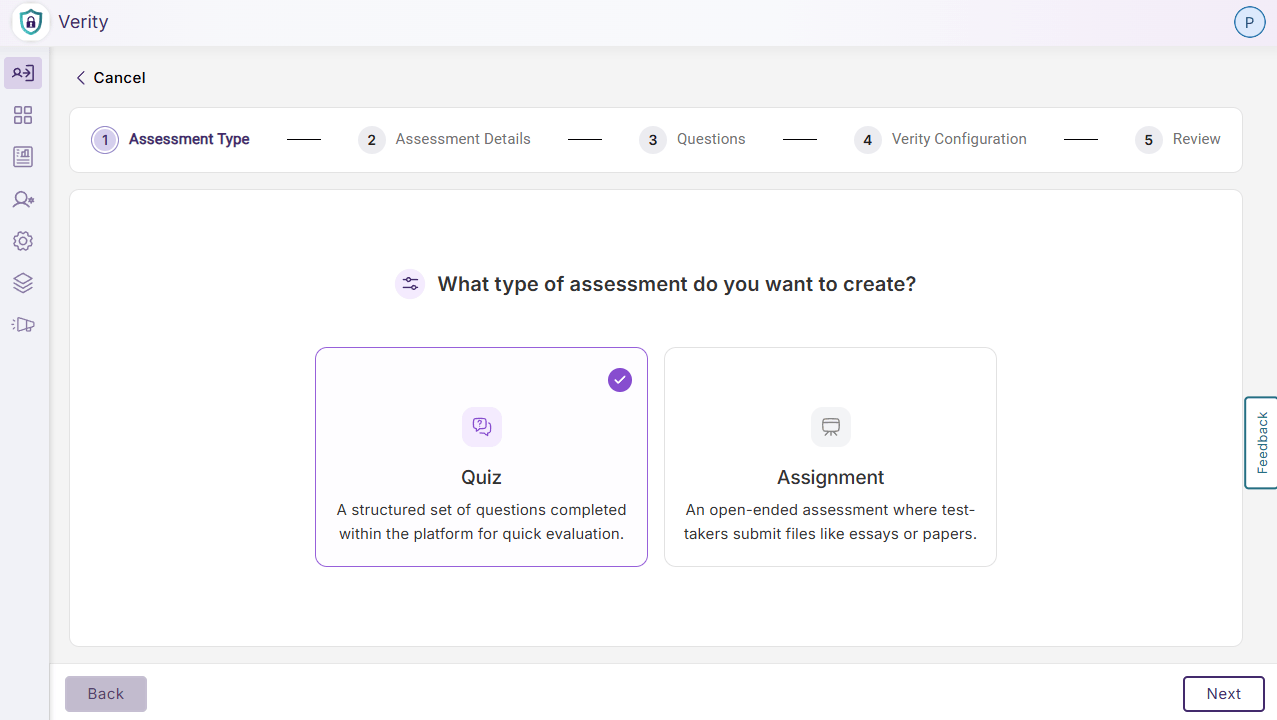
Consolidated Quiz or Assignment Set Up: Instructors can choose to create a new quiz or a new assignment, mimicking the assignment set up flow in their LMS, while configuring Verity proctoring settings in one continuous workflow without leaving Verity.
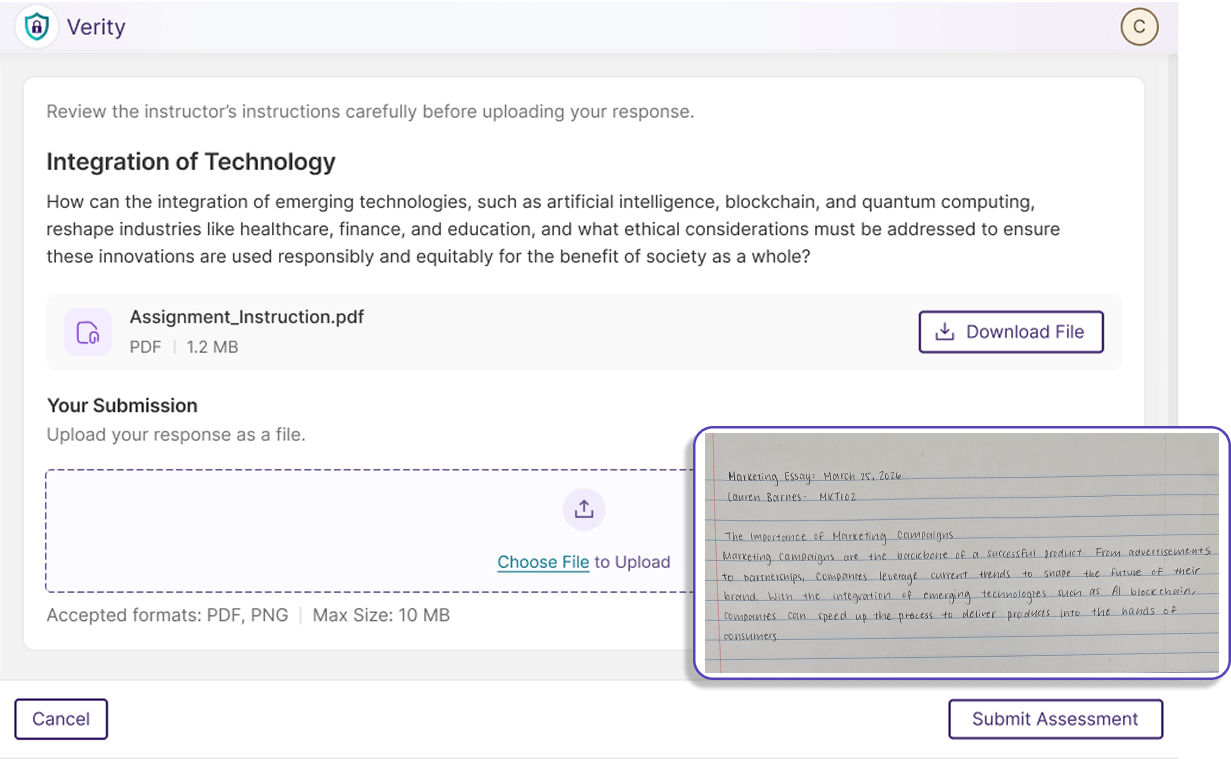
Choose Upload Formats: Instructors can select the type of file formats accepted for assessment responses, expanding the flexibility of online assessments by accepting both digital and traditional paper submission formats.
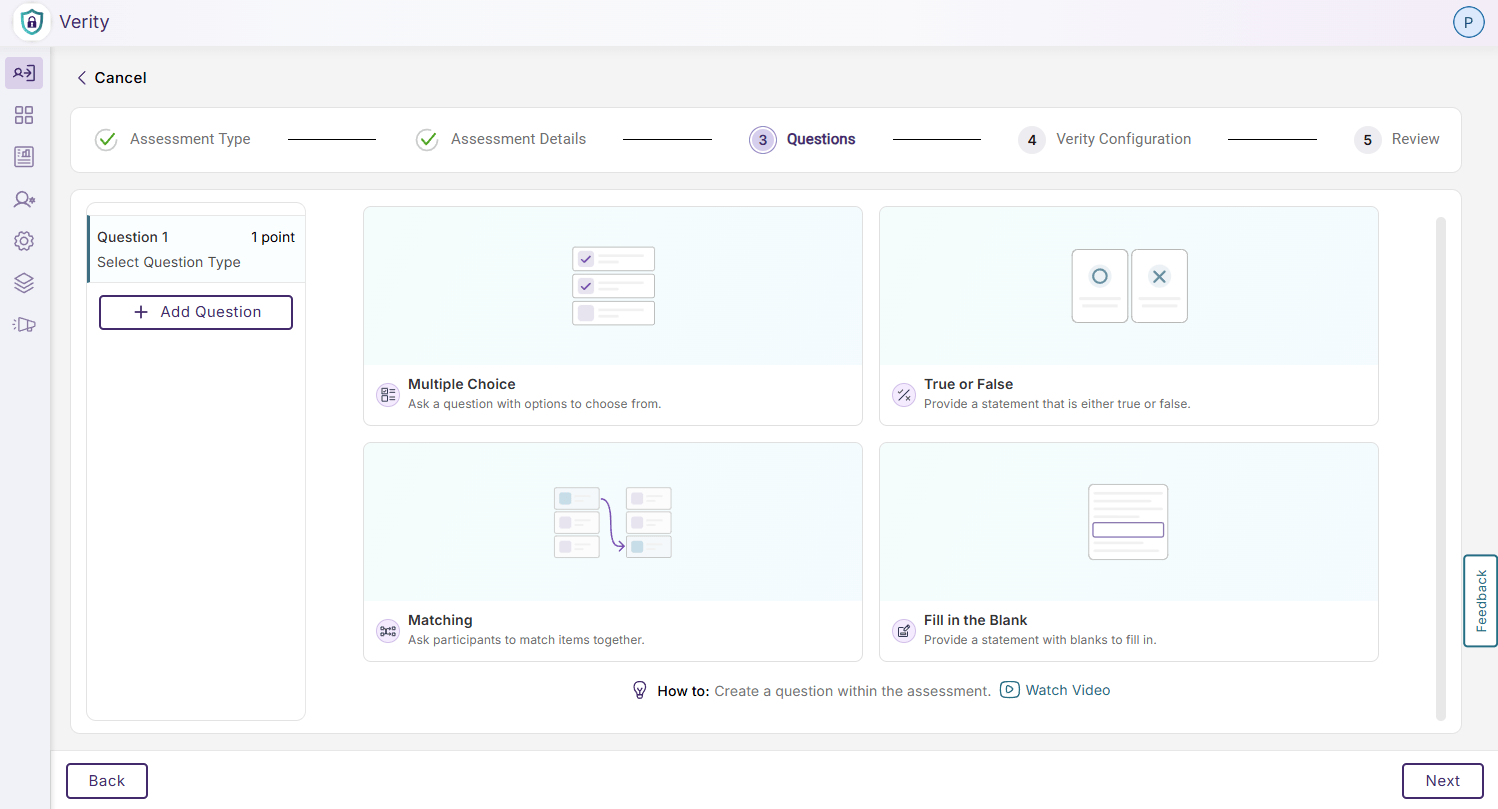
Multiple Quiz Types: Instructors can choose from multiple choice, true or false, matching, and fill-in-the-blank for a Verity quiz, providing flexibility and matching native LMS capabilities.
Automatic LMS Publishing: Assessments configured in Verity will be automatically published to Canvas, eliminating the need to configure an assessment in two different interfaces.
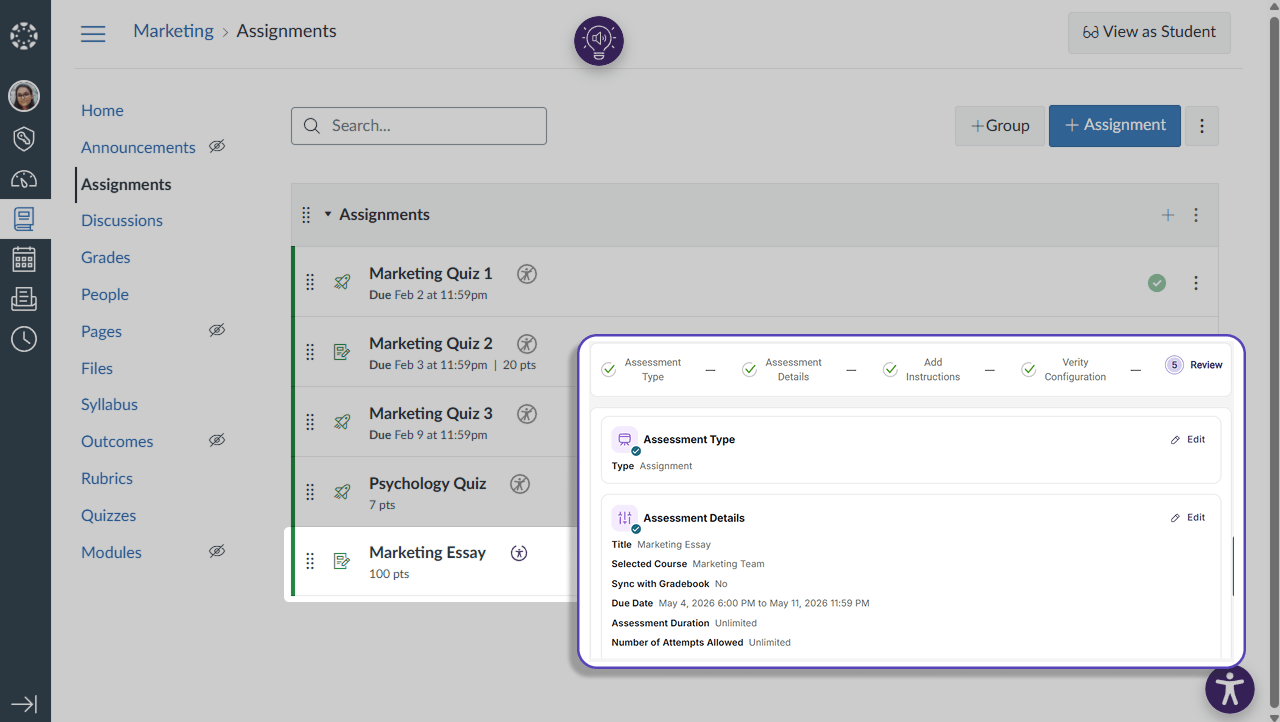
LMS Gradebook Sync: Instructors can enable gradebook sync during assessment set up, allowing grades to be automatically imported into their LMS without additional configurations. Instructors will also be directed to flagged events from this interface to easily verify academic integrity.
Increased Security for Mobile Assessments with Continuous AI-Proctoring Support
AI-powered face and object detection has been added to Verity assessments for mobile devices, drastically improving the security for mobile assessments by flagging suspicious activity detected using the front camera.
Key features include:
Detect Suspicious Objects: Verity will flag suspicious items such as phones, devices, monitors, and books in view of the test-taker’s webcam.
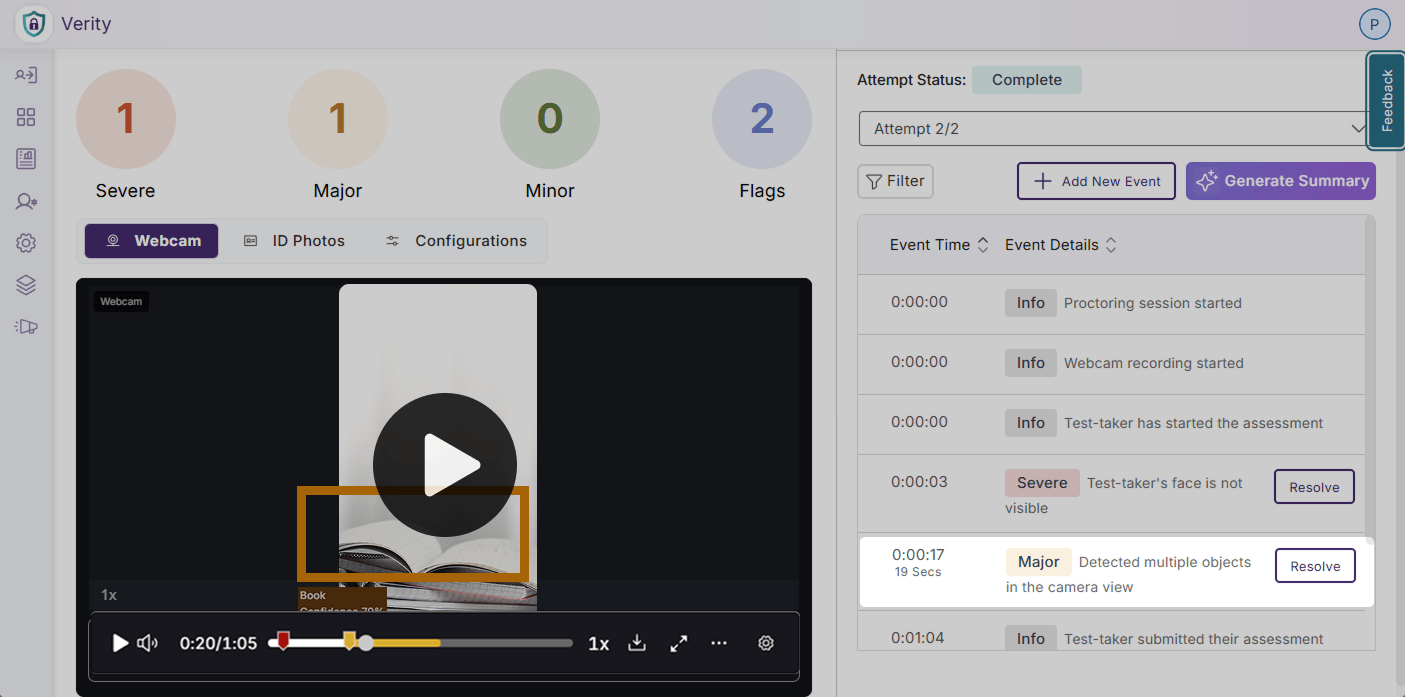
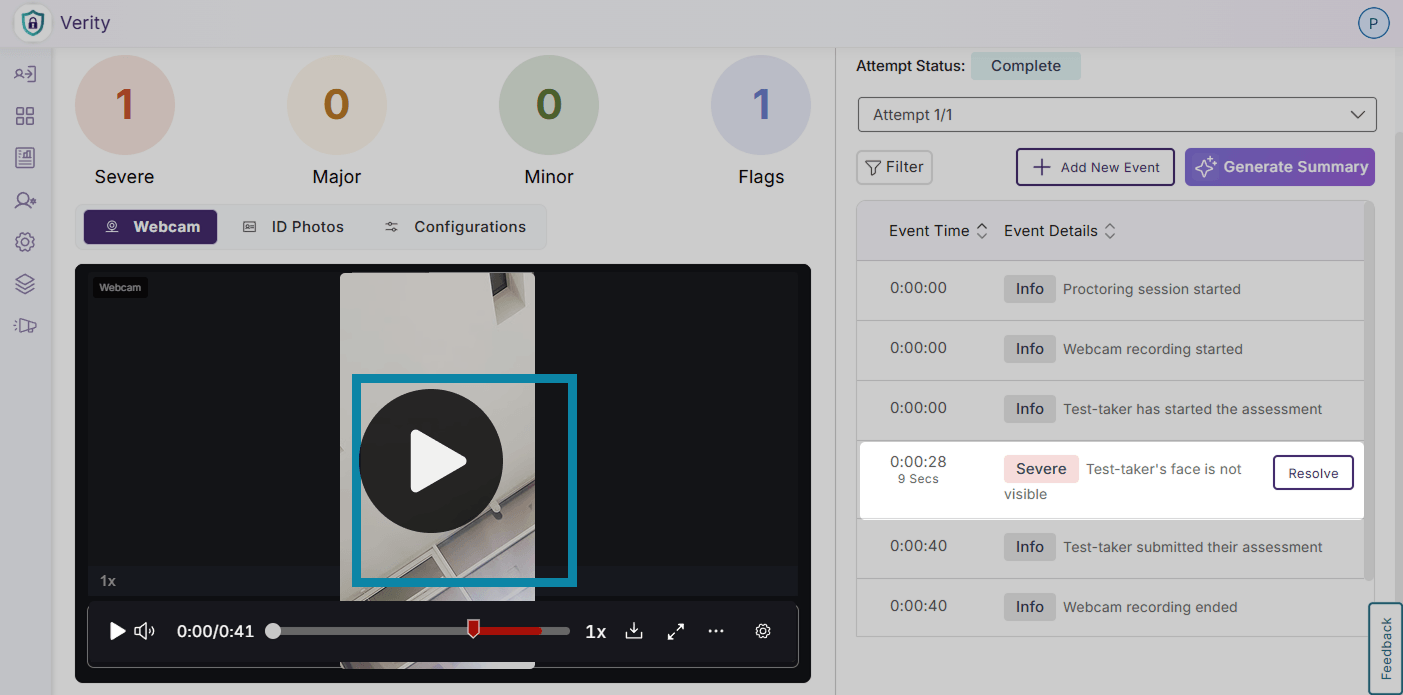
Detect Multiple Faces: Verity will monitor the test-taker’s face to verify that it is detectable, and will flag additional faces or when the test-taker’s face is not observable from the webcam.
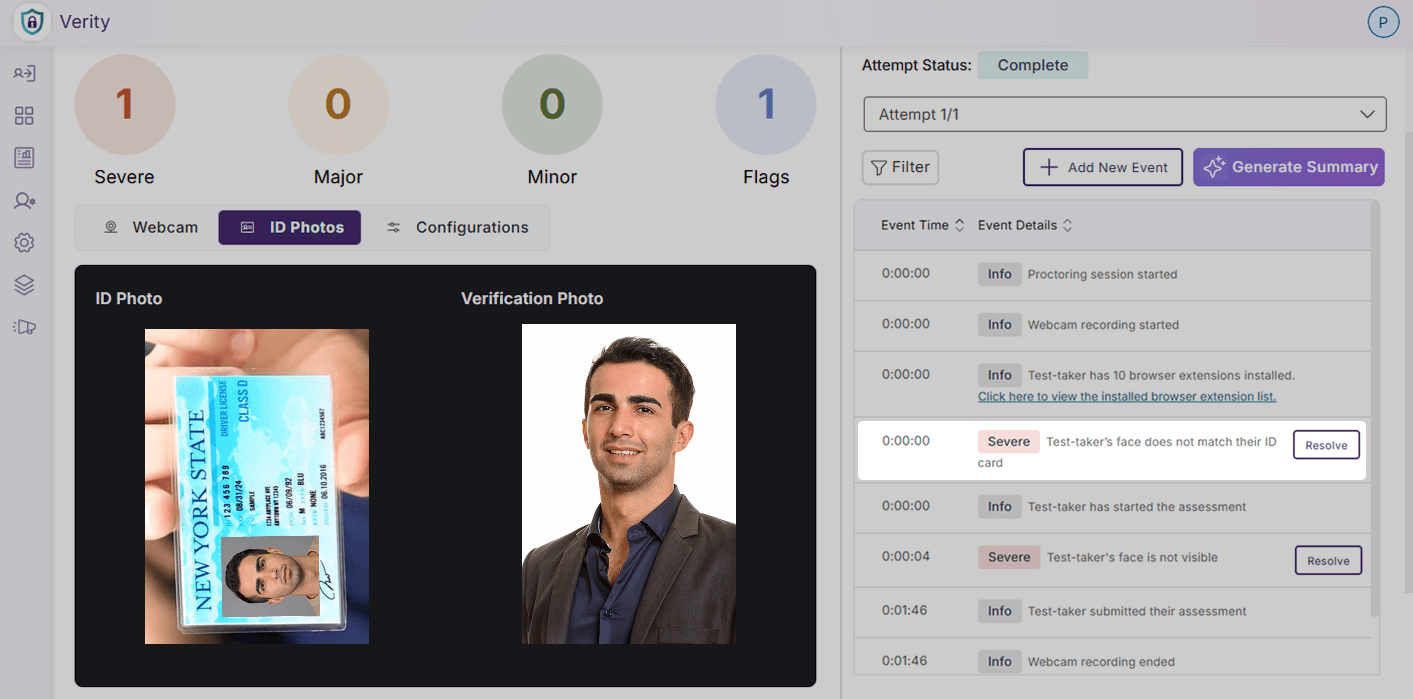
AI ID Verification: Verity will verify the test-taker’s identity by matching their face to a provided piece of valid identification automatically.
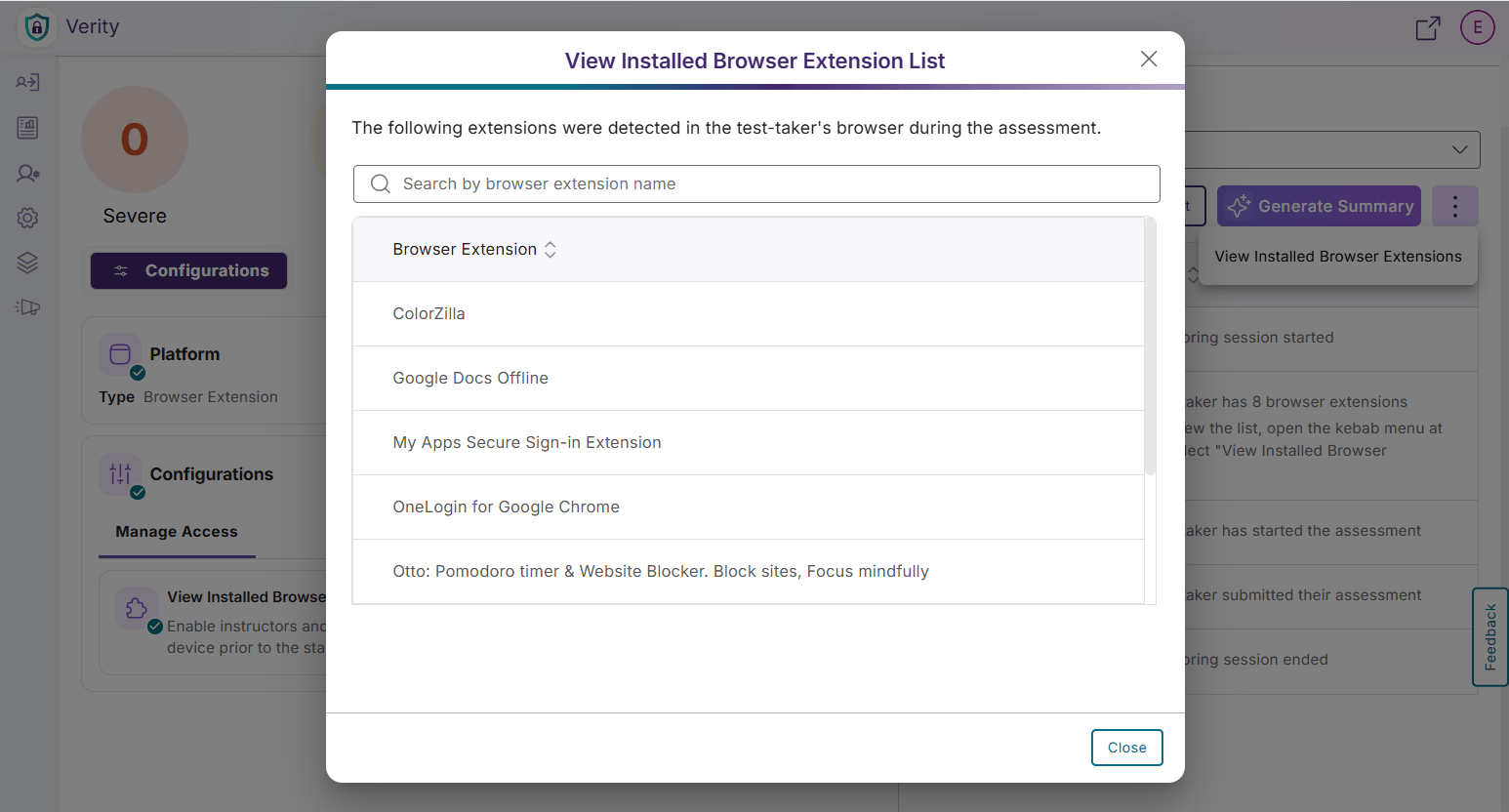
New Post-Assessment Report Item Tracks All Browser Extensions to Protect Assessment Transparency
In addition to restricting and whitelisting browser extensions, a flag has been added for faculty to view all installed browser extensions on a test-taker’s device before a proctored assessment, preventing instructors from needing to whitelist previously installed browser extensions that do not impact the security of an assessment.
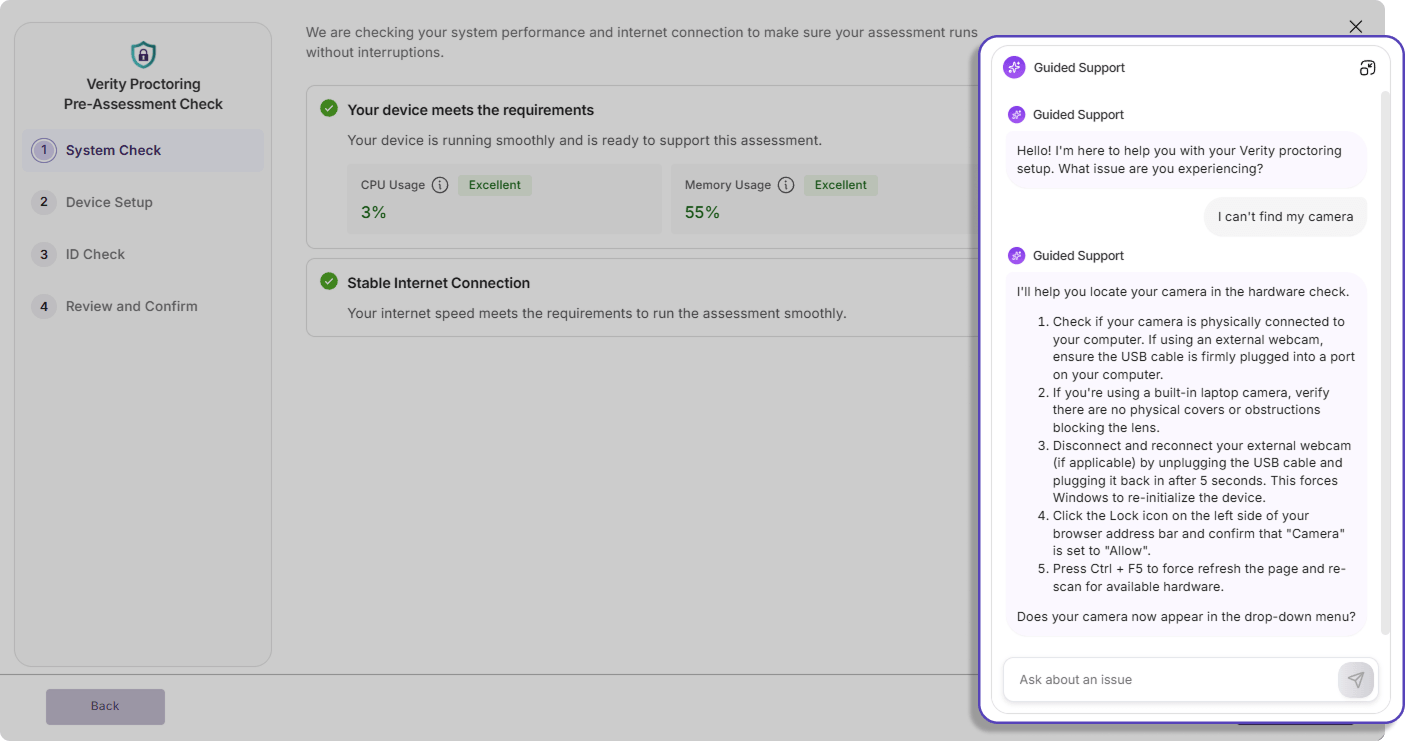
Real-Time Guided Chat Support Clarifies Confusion During System Check and Pre-Assessment Set Up
Additional chat support is now available in Verity to provide real-time guidance for common system setup issues such as camera and microphone access issues, browser compatibility, and network checks to help facilitate a smoother, uninterrupted system check process for test-takers.
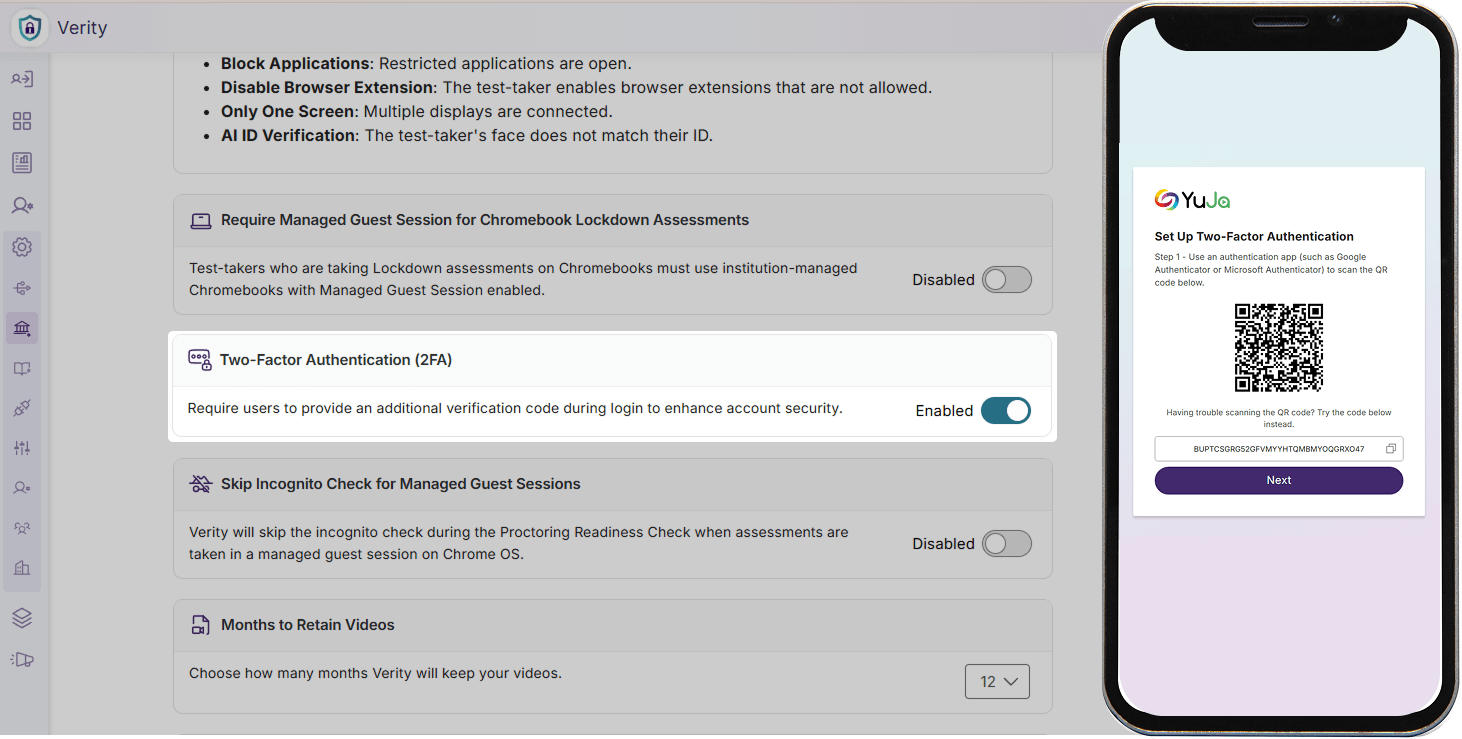
Multi-Factor Authentication Support for Manual Logins Strengthens User Security and Privacy
Administrators can now enable multi-factor authentication for all manual logins for their institution to prevent unauthorized access, protect private data, and enhance the overall security of their platform.
Over the next few weeks, the YuJa Lumina Video Platform will be adding features such as a Video Compliance Report, improved auto-caption accuracy, manual video chapter creation, and much more.
Stay Ahead of Accessibility Risk with New Video Compliance Reporting
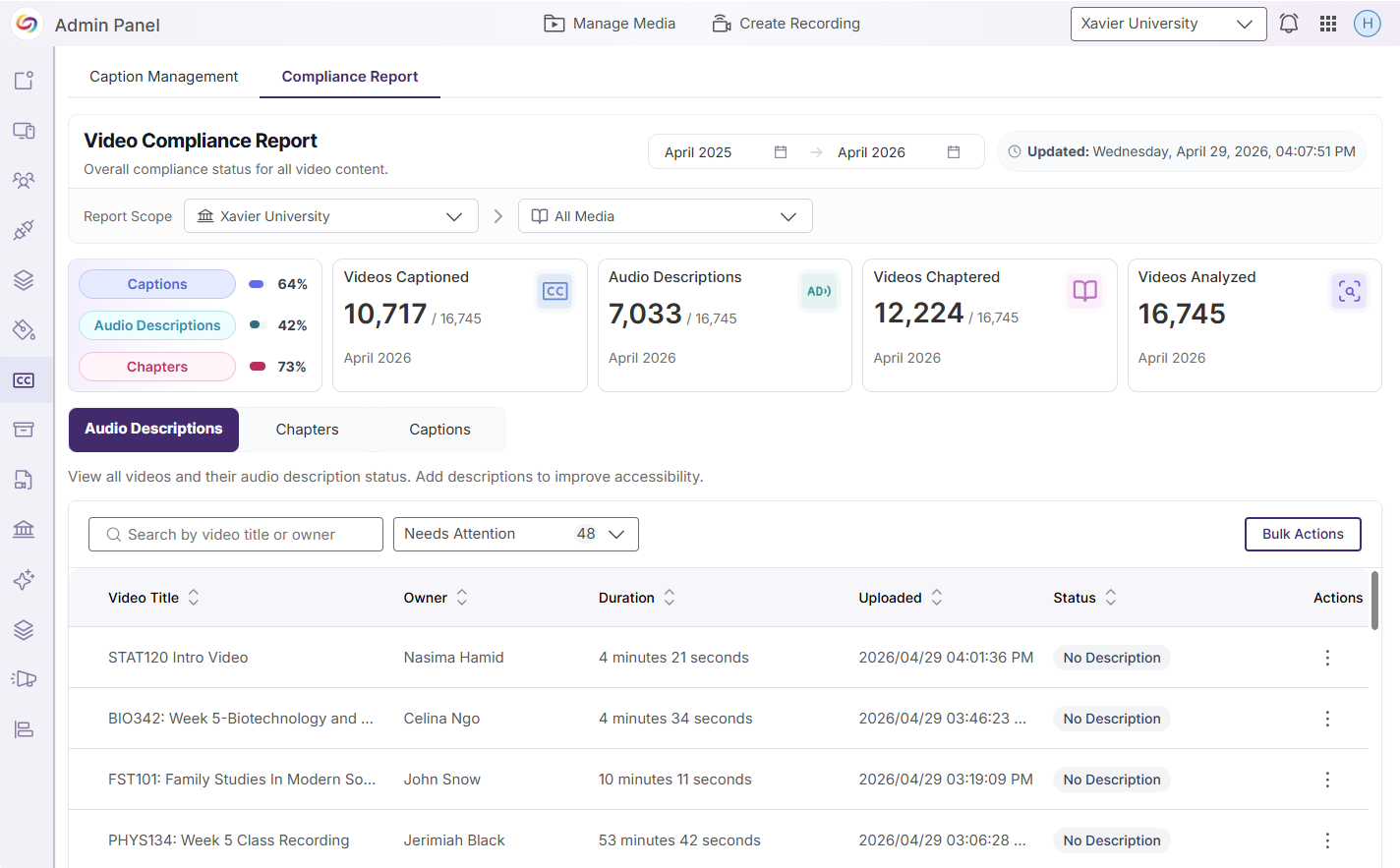
Admins can now access a comprehensive Video Compliance Report that consolidates key accessibility elements – including captions (and their quality scores), audio descriptions, and chapters – along with quality indicators to deliver a clear, audit-ready view of overall video compliance. With configurable institutional scopes, instant compliance summaries, and built-in remediation workflows, this feature transforms Lumina into a centralized hub for managing and improving video accessibility at scale.
Key features include:
Tracking accessibility concerns by department: Filter your report by date, institution, collection, channel, Enterprise VideoTube, folder, and subfolder to ensure only the most relevant information is included in your report.
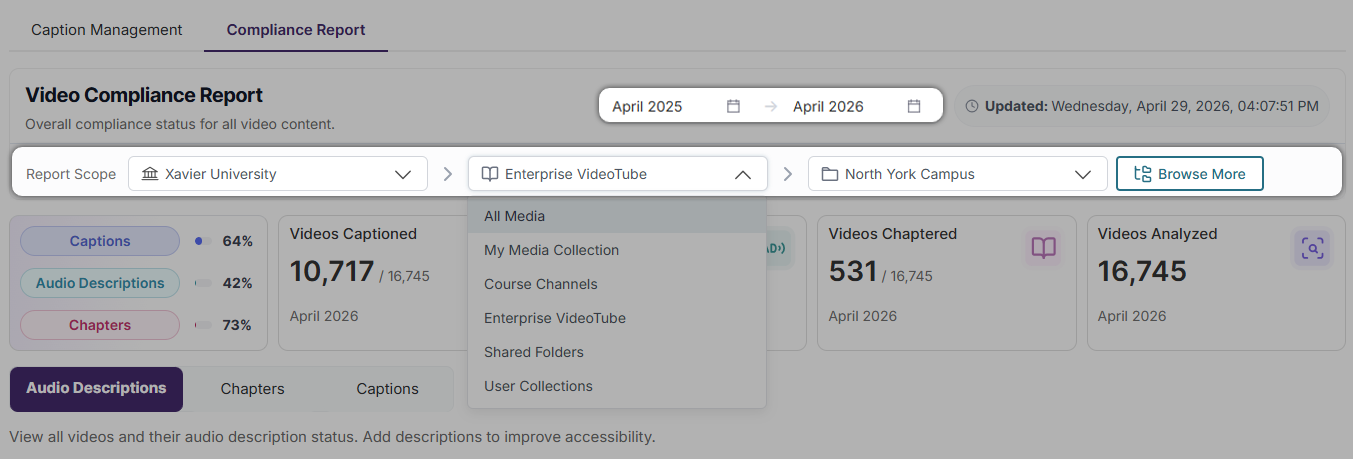
Accessibility scorecards: Gain instant insight into the status of captions, audio descriptions, chapters, and total videos analyzed for your defined scope.
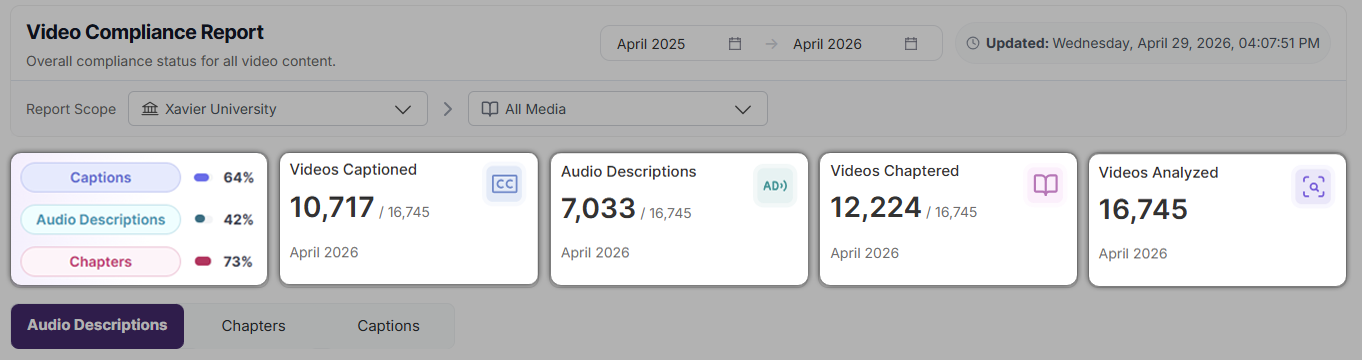
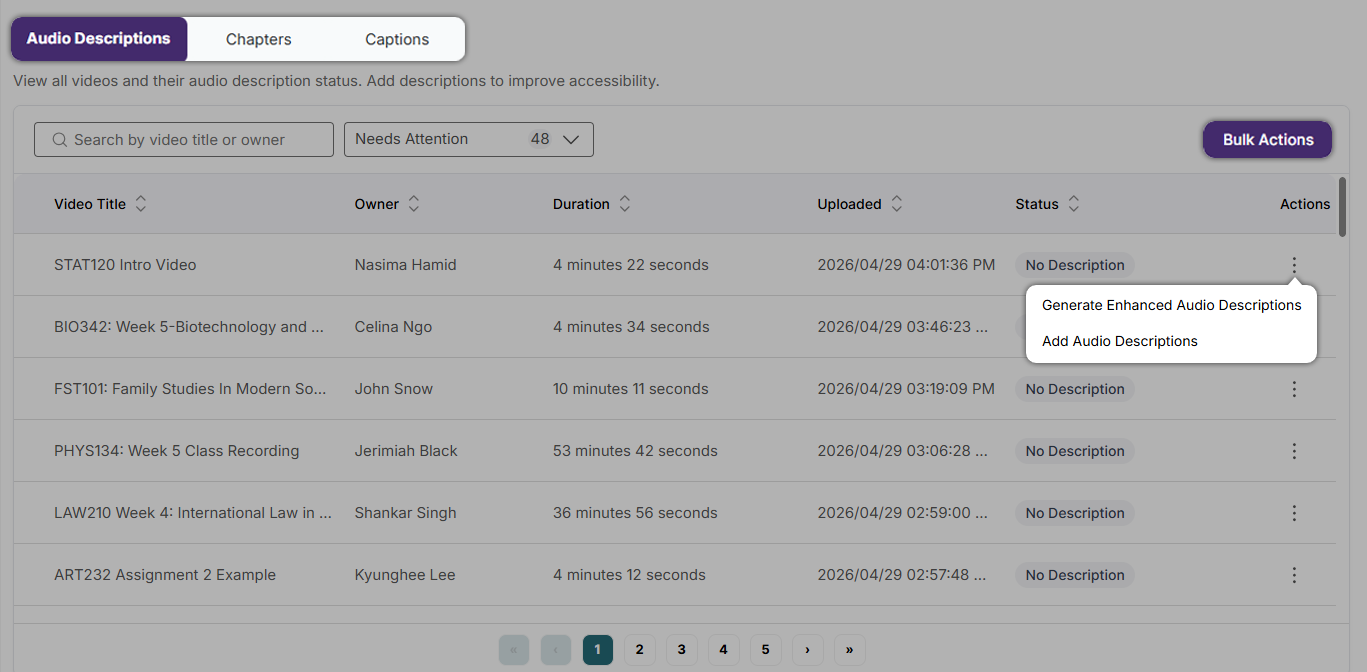
Actions for remediation: View videos based on their captions, audio description, or chapters status. Use the Actions menu to see possible remediation actions for a specific video, or use Bulk Actions to perform remediation activities across multiple videos. Remediation actions can be performed manually, requested, or generated using GenAI PowerPack credits.
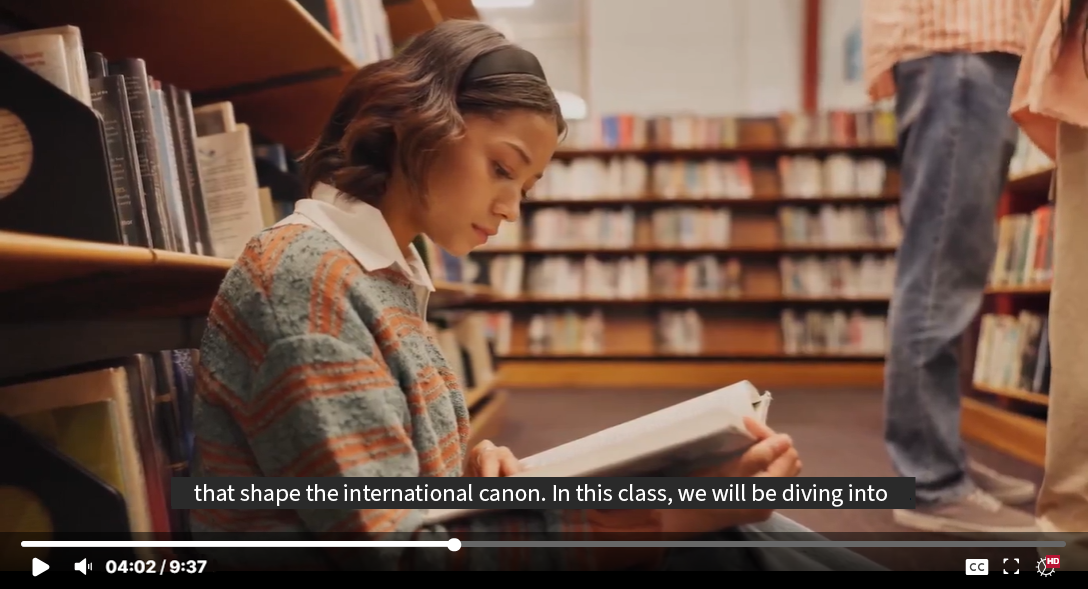
Improved Auto-Captioning Accuracy Through Upgraded AI Models
We have enhanced the underlying AI models powering the Media Player’s auto-captioning engine to deliver significantly improved caption accuracy. These model upgrades produce more reliable and context-aware captions that more faithfully reflect spoken content, reducing the need for manual edits and streamlining the captioning workflow for content creators while strengthening accessibility compliance across video content.
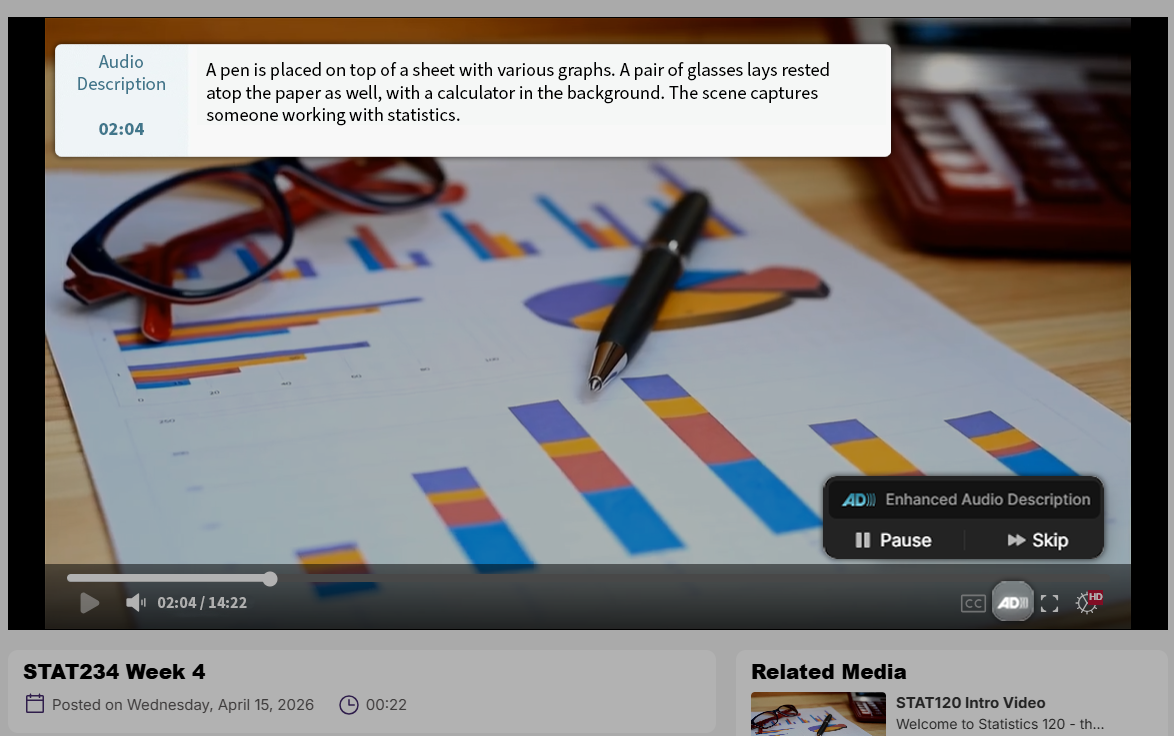
Enhanced Audio Description (EAD) Playback Controls
Users can now seamlessly toggle Enhanced Audio Description (EAD) directly within the media player using a keyboard shortcut or toolbar control, enabling a smoother and more intuitive playback experience. With the added ability to pause EAD independently to maintain synchronization with video content, this update enhances accessibility for viewers with visual or cognitive disabilities.
Turn Multi-Stream Livestreams Into A Single Synchronized Video That Offers Custom View Layouts
Users can change the playback experience for multi-stream livestreams by using a beta feature that combines multiple livestream video sources into one synchronized media asset with customizable layout options. By stitching multi-stream livestreams together into one video, issues with synchronization will be eliminated, and content will be downloaded as one cohesive video. This beta feature is off by default and can be enabled by going to Platform Settings within the Admin Panel.
End users will be able to select the following layout options for the video streams:
Gallery

Presenter

Single stream

Picture-in-Picture

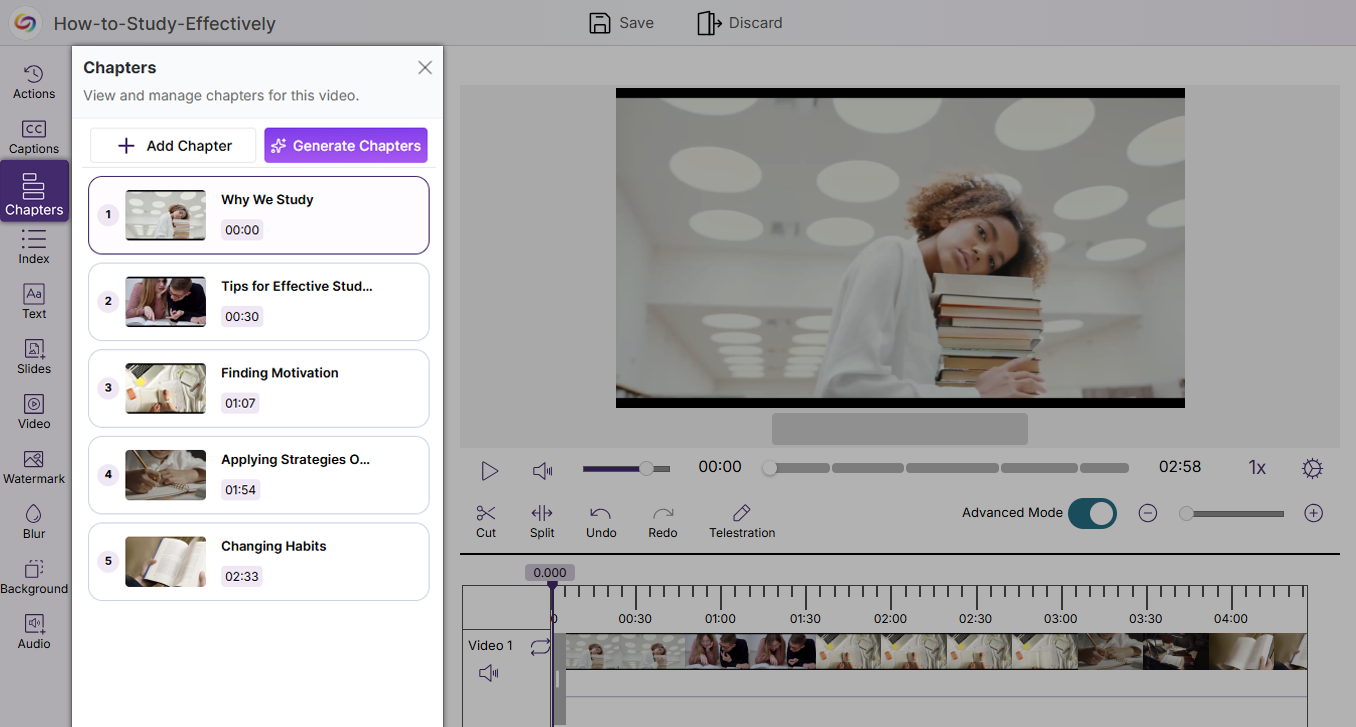
Ability to Manually Add Video Chapters to Improve Video Usability and Accessibility
The YuJa Video Editor now includes a new Chapters tab that enables users to manually add and manage chapters within videos. This enhancement allows long-form content to be broken into clear, navigable segments, improving both usability and searchability while also supporting stronger accessibility compliance across video content.
Improved Performance for Browser Capture Recording When Multitasking
Browser Capture has been optimized to ensure it operates without performance issues when multiple activities are being performed on a device. These system improvements increase the reliability and usability of Browser Capture by reducing the platform’s CPU usage, creating an overall smoother experience when recording.
Faster Video Processing with Instant Thumbnails and Background Playback
Video uploads to the Lumina Media Library now generate thumbnails instantly, while enabling users to play the raw video file in the background during processing. These improvements streamline media handling by allowing immediate interaction with uploaded content, creating a faster, more seamless, and more productive upload workflow.
Over the next few weeks, the YuJa EqualGround Accessibility Governance Platform will be expanding capabilities to include heatmap analytics, new integration with Cascade CMS, additional support for SharePoint, and much more.
CMS Plugin Support Extended to Cascade CMS
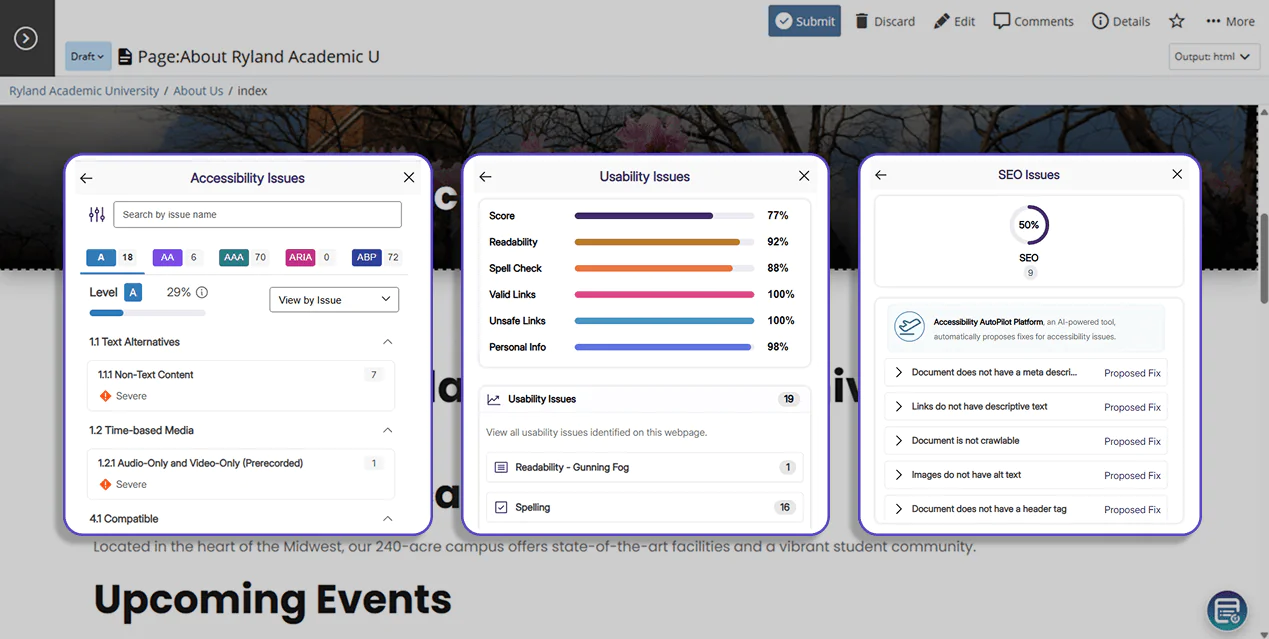
EqualGround’s CMS integration is expanding to Cascade CMS, allowing users to detect, assess, and remediate issues directly in the Cascade interface as pages are edited. Key features include:
Track Conformance Using Comprehensive Scores: A set of scores are displayed on pages based on analysis from the Accessibility, SEO, and Usability engine.
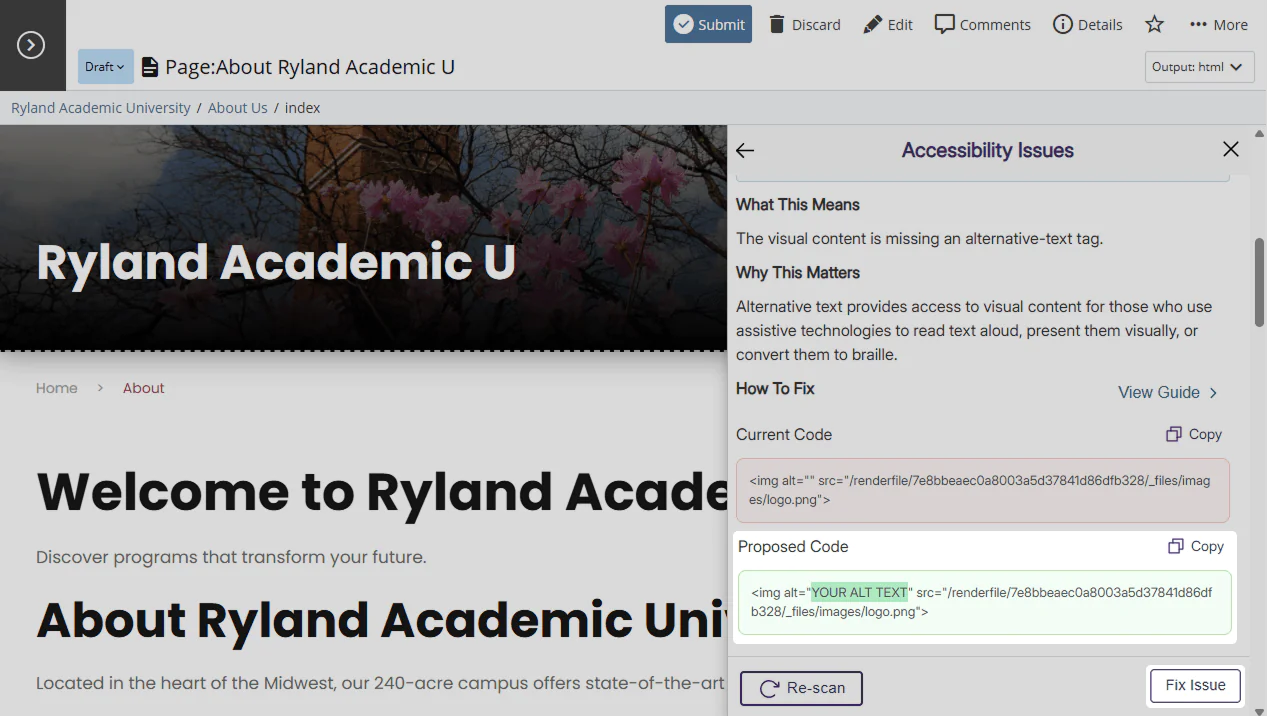
Automatically Apply Proposed Fixes: Users can click “Fix Issue” in the Issues Panel to automatically apply EqualGround’s proposed changes directly to the page. Changes will be reflected in the live page and the code base, saving time needed for manual remediation.
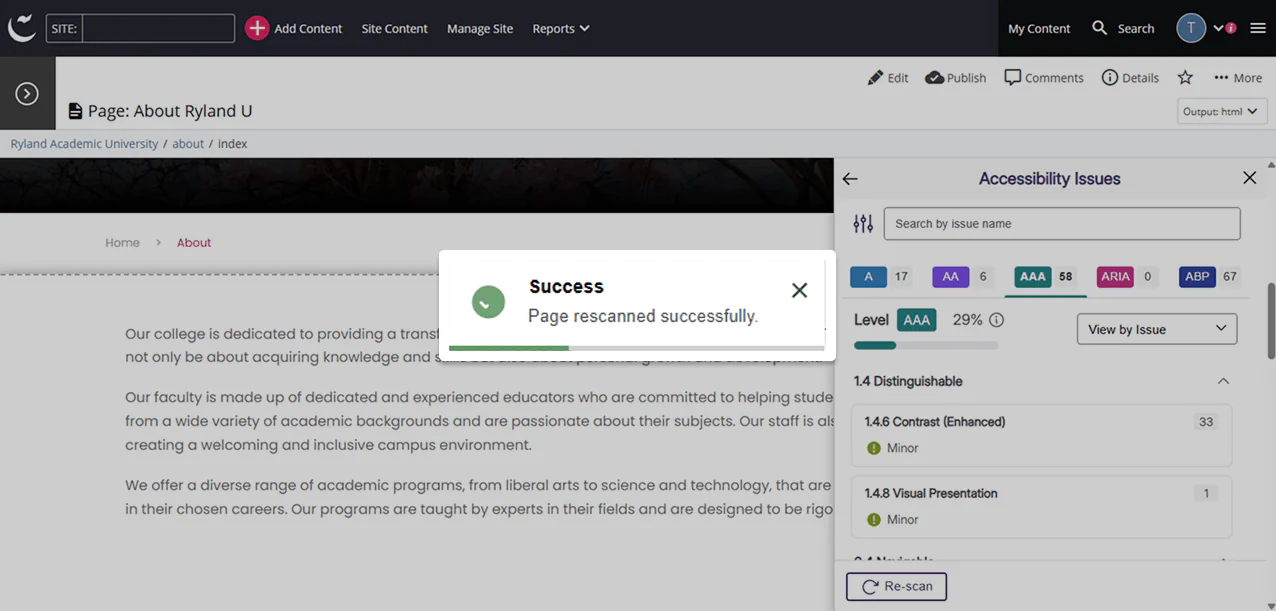
Review Dynamic Changes in Real-Time: Users can activate a re-scan at any time to review how their changes impact the overall score of their page.
Boost Website Engagement Using Visual Heatmaps
Analytics and reporting in YuJa EqualGround now include heatmap tracking, offering users insights and visualizations of user interaction on their webpage. Heatmap statistics will help you monitor user traffic, optimize the user experience, and drive growth over time.
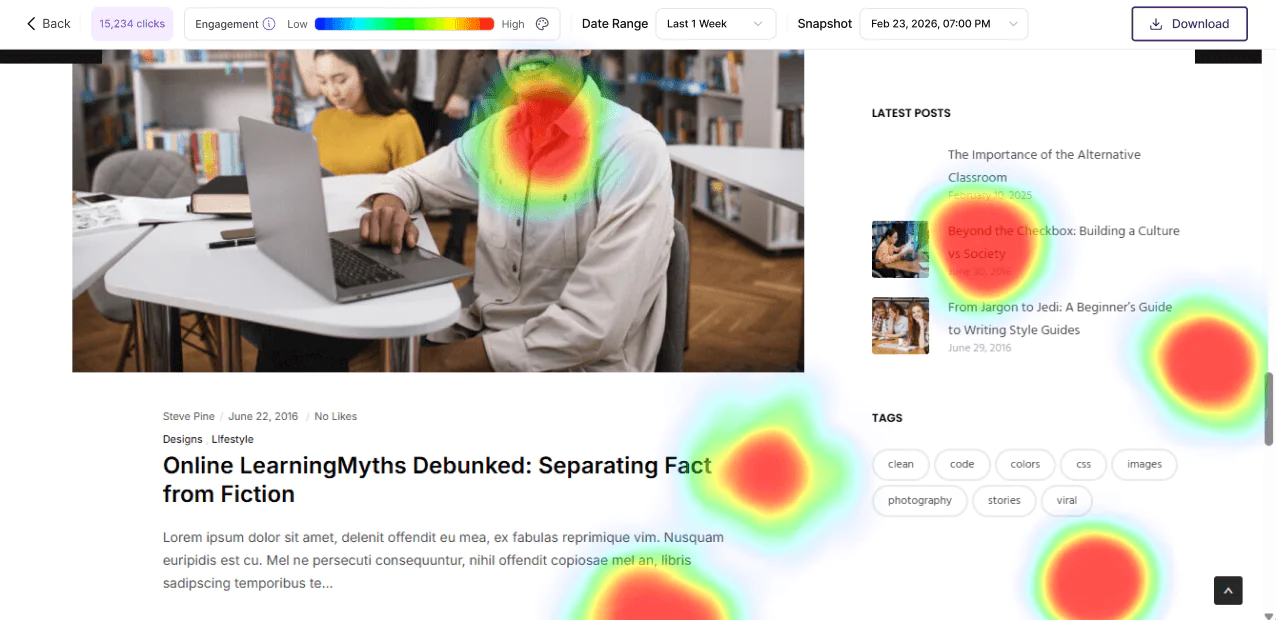
Expanded Accessibility Checkers Increase Site-Wide Conformance
New accessibility checkers and suggested fixes have been added to EqualGround to improve website accessibility conformance. The following checkers were added:
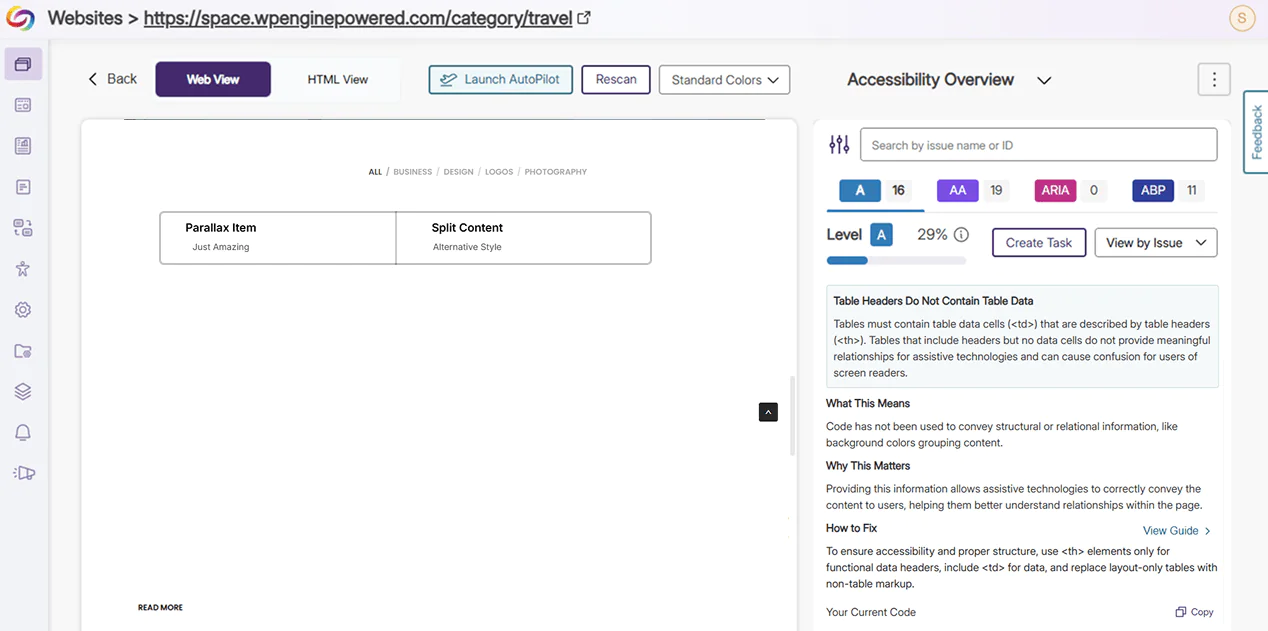
Table Headers Do Not Contain Table Data: Tables that do not contain table data cells (<td>) do not provide meaningful information or relationships for assistive technologies. Users will be prompted to fill tables with data using the <td> tag, and to replace layout-only tables with non-table HTML markup.
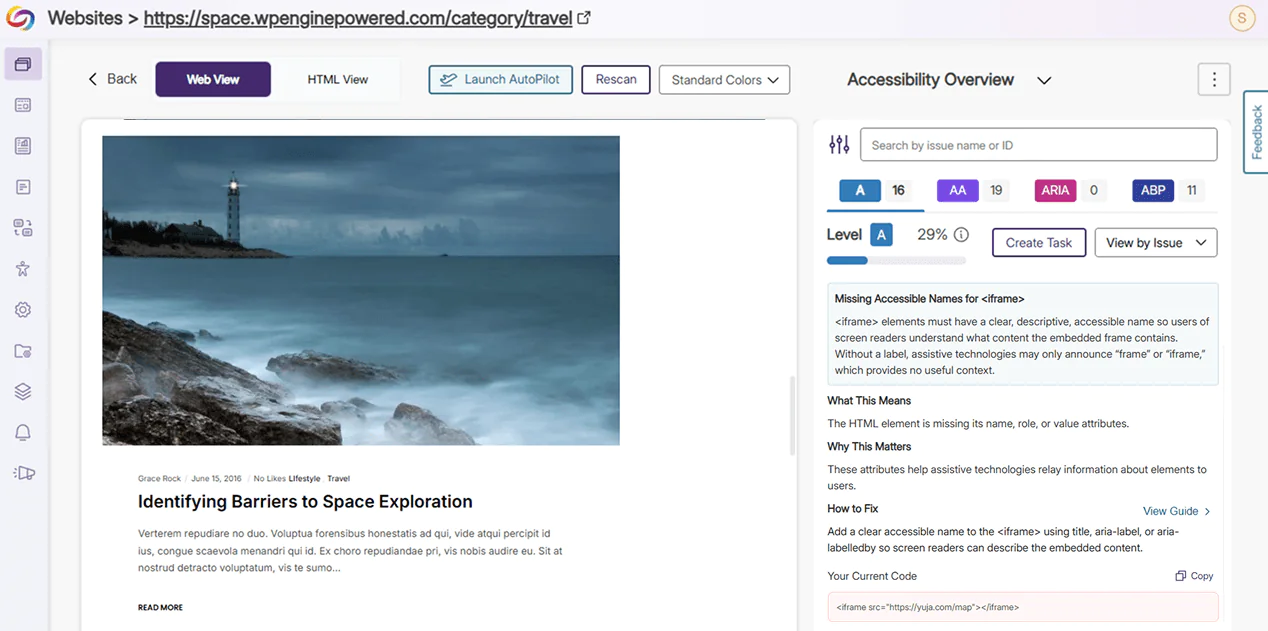
Missing Accessible Names for <iframe>: <iframe> elements must include a descriptive and accessible name using “aria-label”, “title”, or “aria-labelledby” for assistive technologies to understand the embedded frame content.
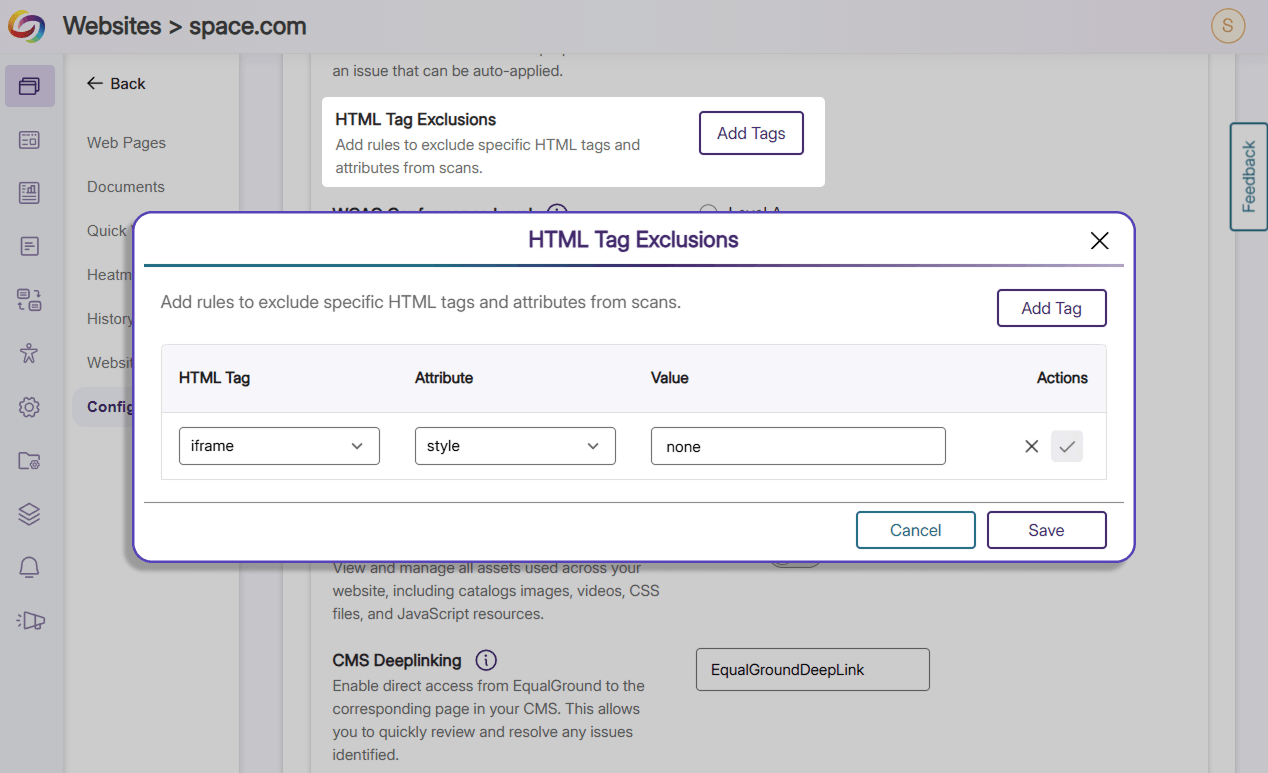
Custom Decorative Tag: Users can enter a list of HTML tags to be whitelisted and excluded from future scans.
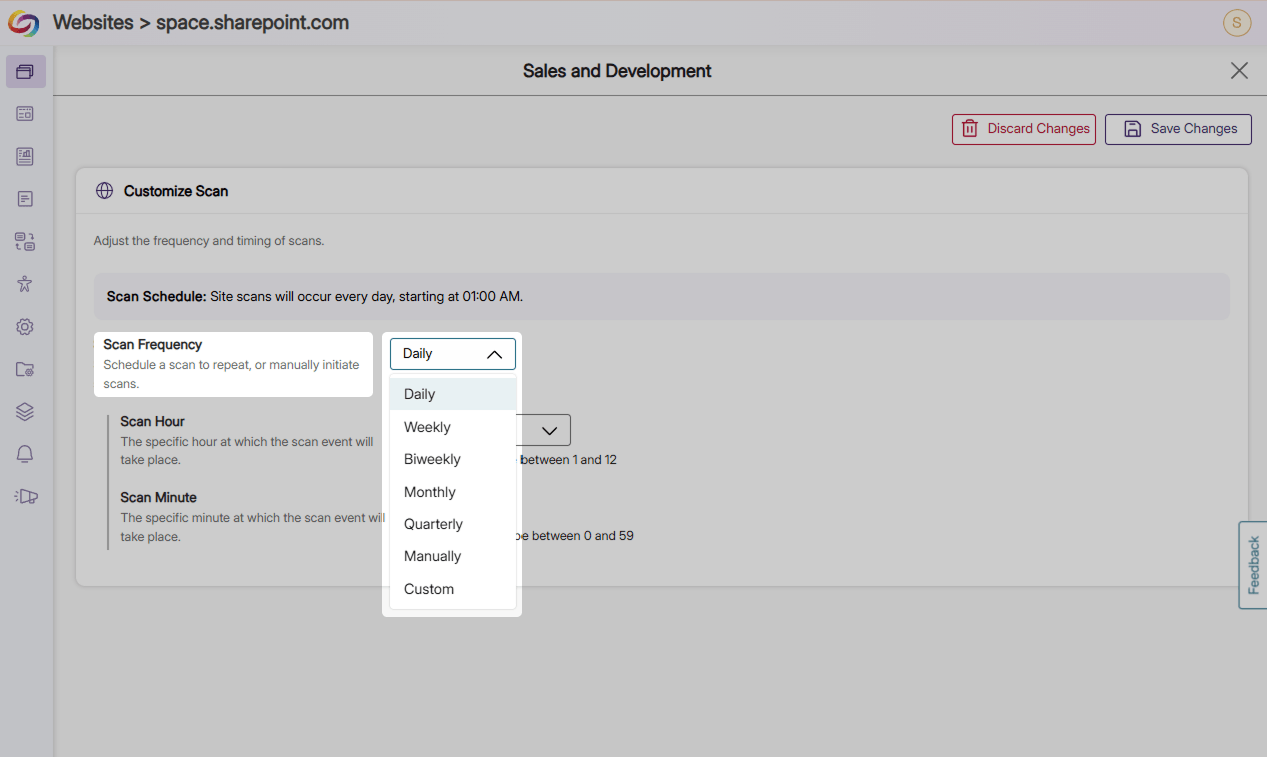
Optimize SharePoint Scanning Frequencies With Customizable Configurations
Users can now directly configure scan frequencies for newly added SharePoint sites, effectively having granular control over individual sites without additional, retroactive steps or overwriting settings for their page groups.
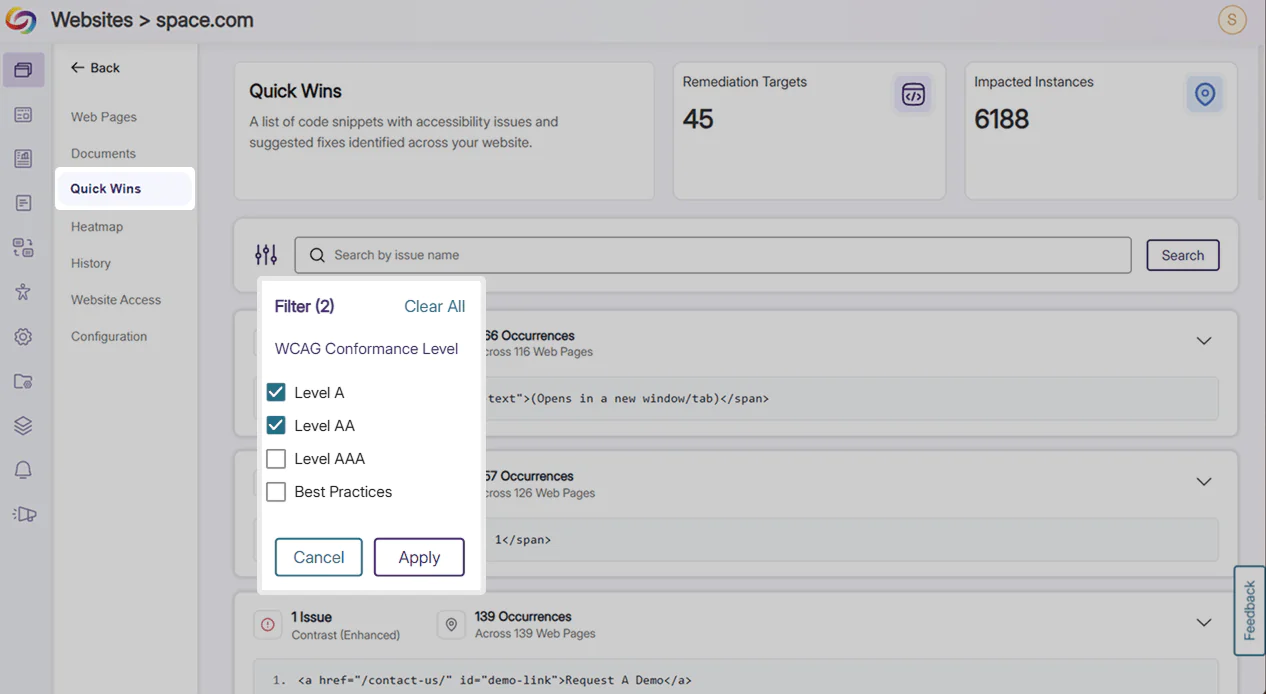
Improve Accessibility Conformance Instantaneously With Filterable Quick Wins
Users can now filter Quick Wins by conformance level and be redirected to the location of the issues to leverage automated Best Practices to improve site-wide accessibility. This grants users more granular control and allows them to remediate multiple issues in a few simple clicks.
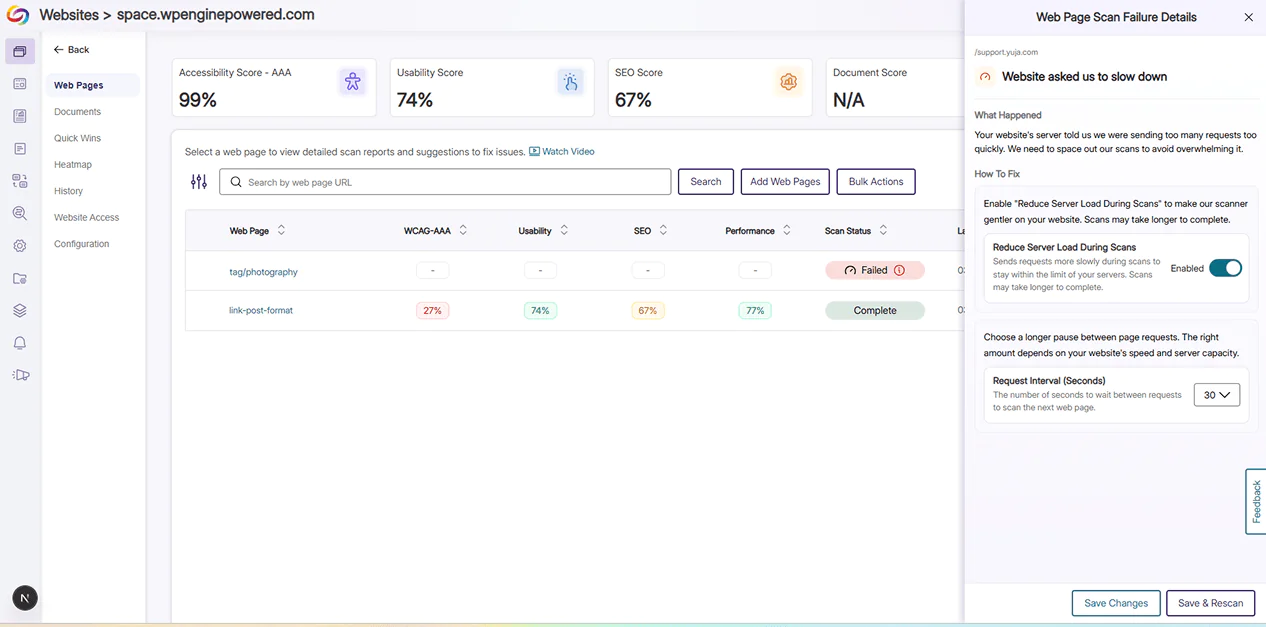
Identify and Implement Web Scan Configuration Changes with Immediate Guidance
A new status badge and details panel providing users with comprehensive insights of their web page scan and quick options to optimize scanning performance has been added. This offers continuous guidance for users should they change configuration settings for website scans in the future.
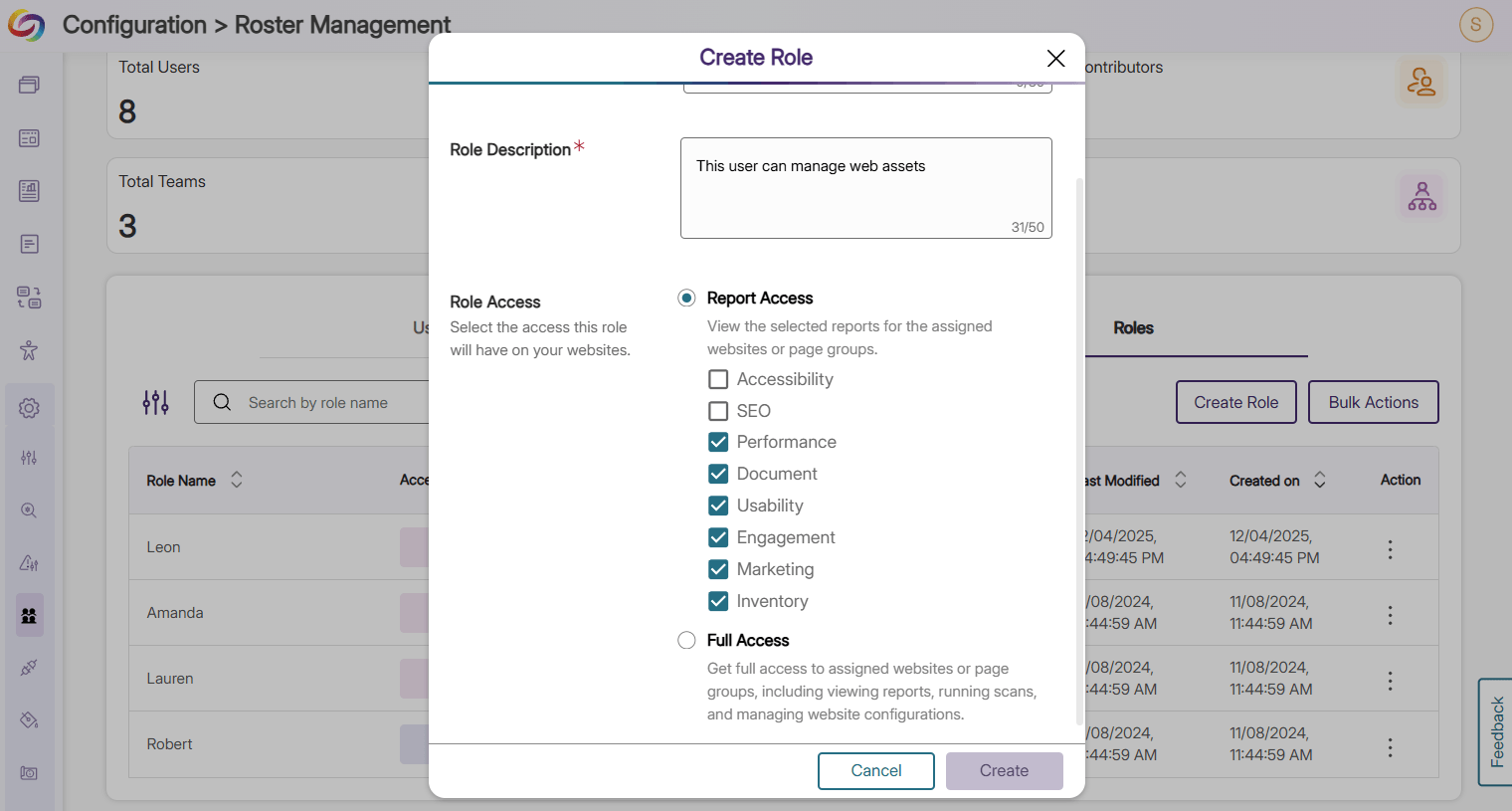
Manage Web Assets Effectively with Role-Based Access
Administrators can now assign Inventory roles to specific users to grant access to website assets including images, videos, CSS files, and more, and streamline asset management operations.
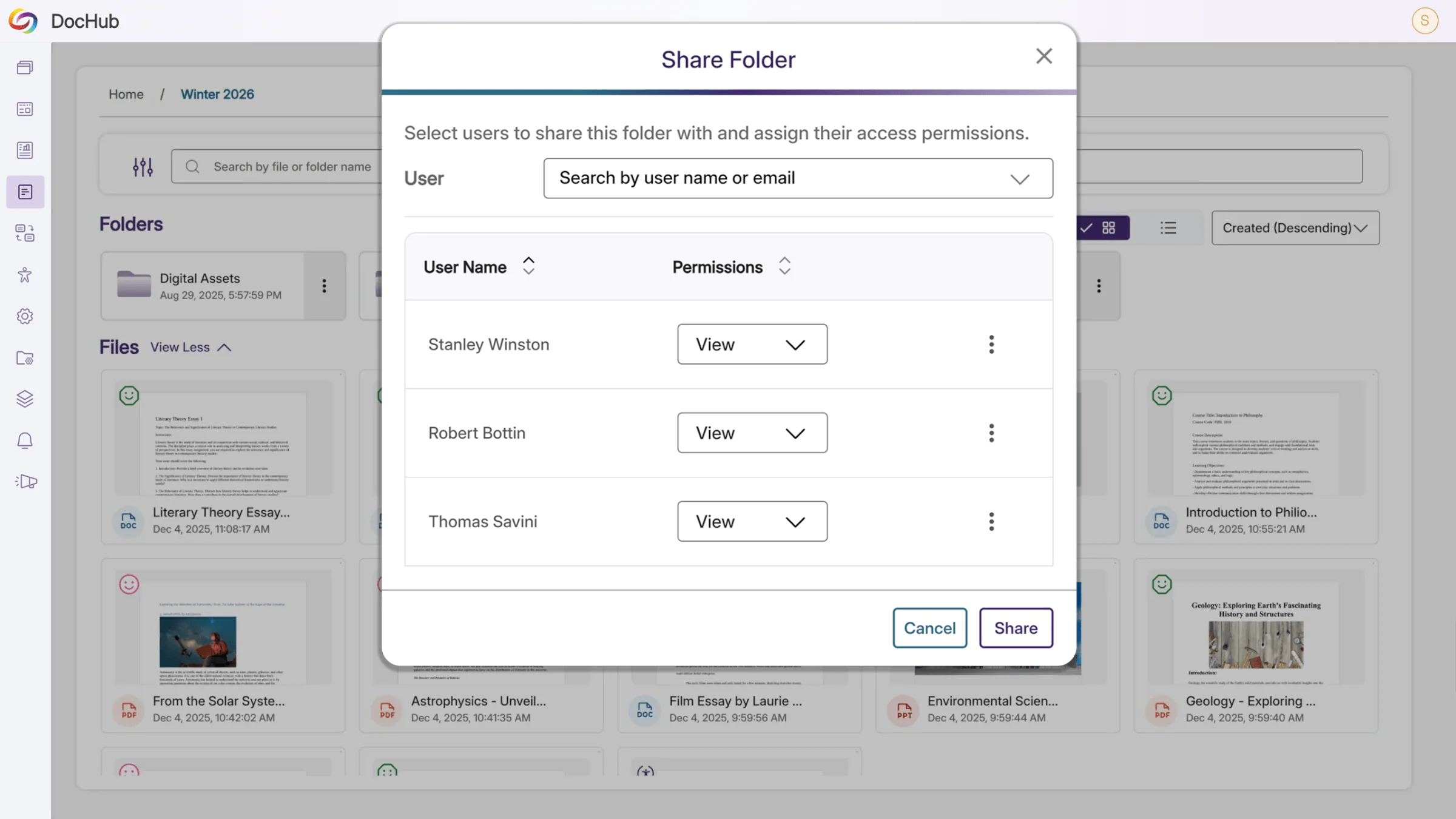
Enhance Collaboration with Shared DocHub Folders
Users can now collaborate on documents in DocHub using shared folders, effectively improving inter- and cross-team communication, efficiency, and productivity.
Expanded Support for Core Features
New guides have been added for core features, integrations, and modules in EqualGround, providing users with comprehensive support for new and existing capabilities.
Over the next few weeks, the YuJa EqualGround Workflow Orchestration Module will be introducing new capabilities to streamline project management, including notifications, a centralized task view, and the ability to track individual issues across all web assets.
Streamline Project Management Workflow with Centralized Task View
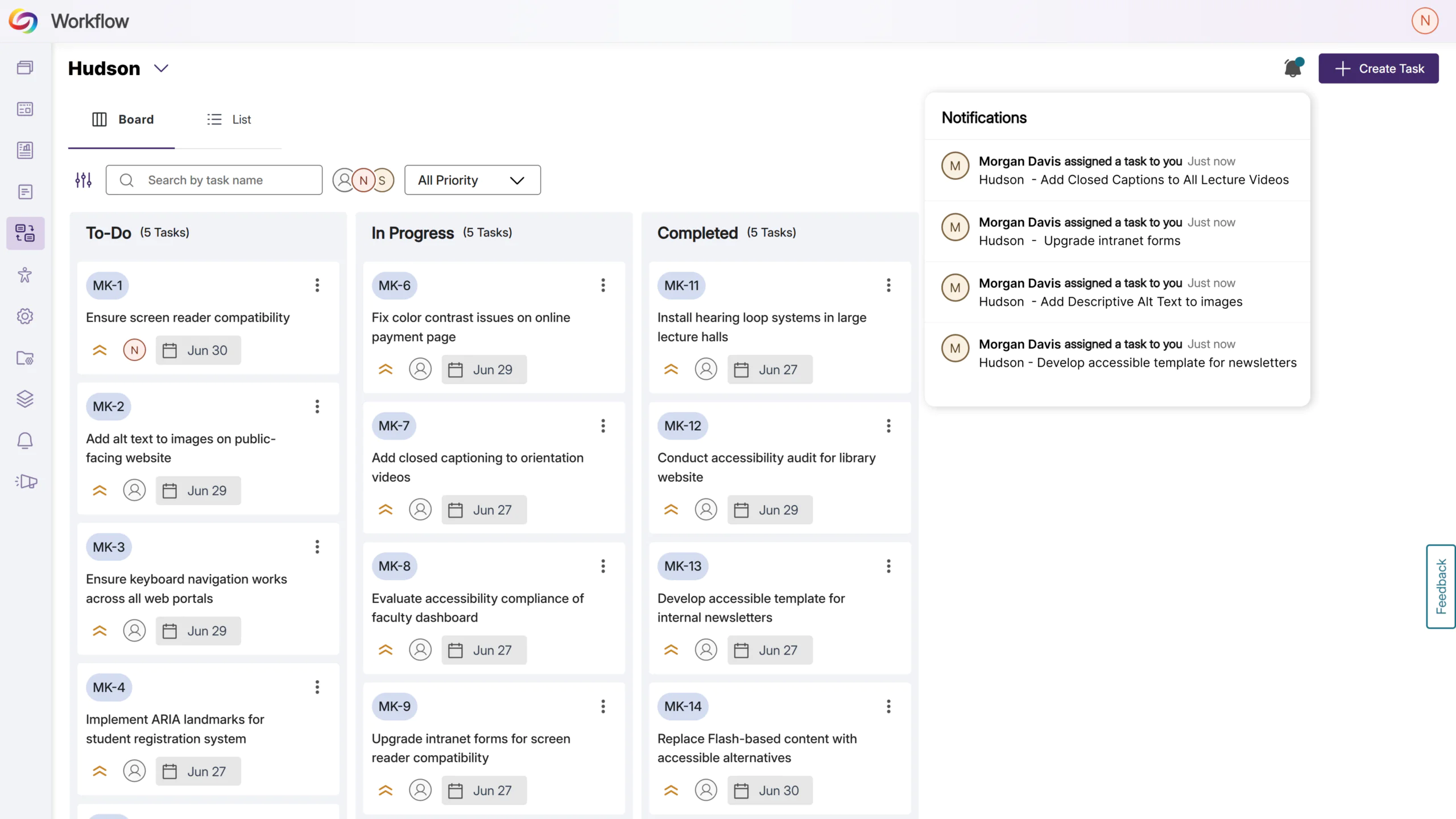
Tasks in workflow orchestration are now filterable by user, allowing users to organize and prioritize their own tasks, as well as track completion and progress of tasks assigned to other team members.
Get Notified Instantly for New Tasks
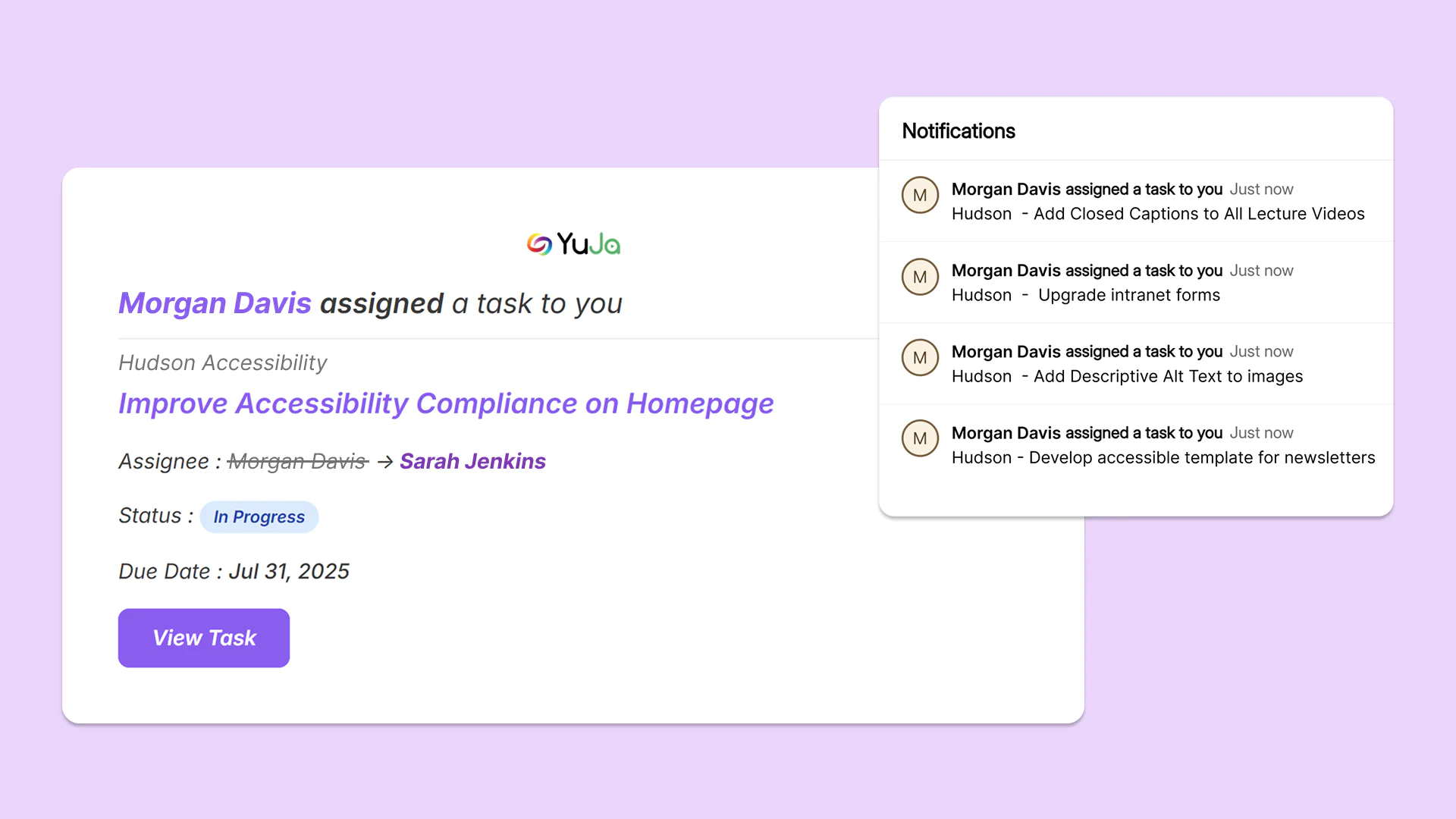
Users are now notified via email and a pop-up modal when a new workflow task is assigned to them in workflow orchestration, allowing users to proactively tackle outstanding tasks.
Track Site-Wide Issues in One Workflow Task
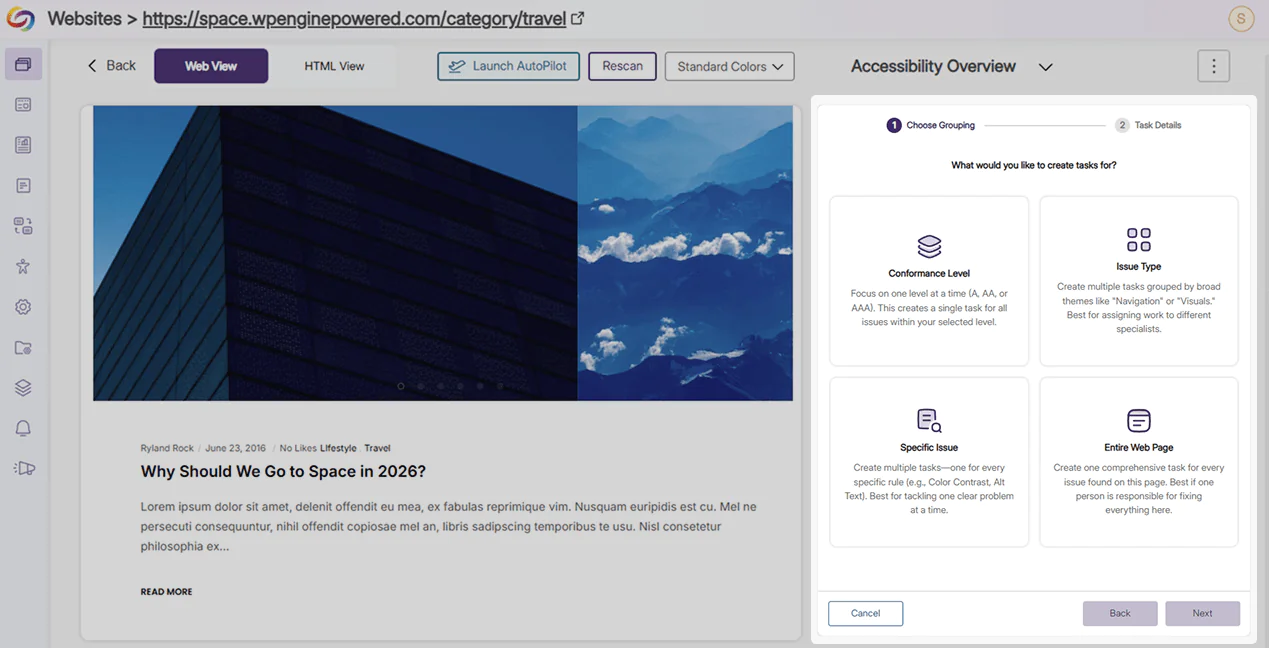
Workflow orchestration now allows users to make a singular task to track a specific issue, conformance level, or web page across all pages of a website in EqualGround. Remediation efforts, task assignment, and project management become streamlined with a decluttered workflow interface.
Join the 1,000+ Organizations Deploying High-Impact Solutions
