

Product Updates
Get the latest platform updates, features, and announcements—all in one place.
Boost Video Accessibility with the GenAI Video PowerPack!
Try Now
Supercharge Your Compliance Efforts with AutoPilot Remediation Max!
Try Now
Strengthen Your PDF Accessibility Efforts with Structural Remediation Max!
Try Now
Don't Miss Any of Our Upcoming Webinars—Save Your Spot!
Register
The YuJa Community is here! Connect, get updates, and access exclusive content.
Join Now

Get the latest platform updates, features, and announcements—all in one place.
 YuJa makes it easy for teachers to provide varied work to meet the needs of high-achieving students.
Carol Tomlinson, an expert in the field of differentiated instruction, notes that “a chief objective of differentiated instruction is to take full advantage of every student’s ability to learn.” Differentiated instruction provides all students with learning opportunities they need, but can be especially helpful for advanced learners.
Ideas to help challenge advanced students include:
YuJa makes it easy for teachers to provide varied work to meet the needs of high-achieving students.
Carol Tomlinson, an expert in the field of differentiated instruction, notes that “a chief objective of differentiated instruction is to take full advantage of every student’s ability to learn.” Differentiated instruction provides all students with learning opportunities they need, but can be especially helpful for advanced learners.
Ideas to help challenge advanced students include:
With regard to video content, accessibility issues are predominantly focused on support for those with visual and auditory impairments. Captioning and description technologies can make video learning more available for students with visual or hearing impairments.
 For learners who are deaf or hard of hearing, closed captioning technology makes video learning more accessible. In addition, closed captioning may be helpful for students with auditory processing disorders and English language learners. There are several options available for closed captioning within YuJa’s Video Platform.
Auto-Captioning: This technology provides a computer-generated caption file. Auto-captioning is highly effective, but is less likely to accurately capture accurate or technical terminology. Auto-caption files can be downloaded and edited for accuracy, which is an effective way to maximize caption accuracy while limiting costs.
Human captioning: This type of service offers quality captioning to support students with disabilities. It’s performed by humans, which limits errors, but it is a costlier and more time consuming option. The YuJa Enterprise Video Platform integrates with third-party human captioning services for both automated and manual workflows, with ADA-compliant captioning solutions.
To enhance accuracy of captioning, it’s important to have quality recordings:
For learners who are deaf or hard of hearing, closed captioning technology makes video learning more accessible. In addition, closed captioning may be helpful for students with auditory processing disorders and English language learners. There are several options available for closed captioning within YuJa’s Video Platform.
Auto-Captioning: This technology provides a computer-generated caption file. Auto-captioning is highly effective, but is less likely to accurately capture accurate or technical terminology. Auto-caption files can be downloaded and edited for accuracy, which is an effective way to maximize caption accuracy while limiting costs.
Human captioning: This type of service offers quality captioning to support students with disabilities. It’s performed by humans, which limits errors, but it is a costlier and more time consuming option. The YuJa Enterprise Video Platform integrates with third-party human captioning services for both automated and manual workflows, with ADA-compliant captioning solutions.
To enhance accuracy of captioning, it’s important to have quality recordings:
 Chunking in higher education is also commonly referred to as micro-lessons. When put into practice, the material is broken down into modules and then broken down once more into lessons, which are typically 5 to 10 minutes in length. These compact lessons are used as a strategy to break down complex information into more digestible tidbits, making it easier to learn and allowing the brain to process and retain the new information.
Because research has shown that students better learn and retain information that has been broken down through chunking, instructors have embraced the method in their course design. Given the rise of online learning, chunking is especially important, as content has to be presented both logically and progressively for students to excel.
Chunking can be used to benefit students at all levels of education. Research by experts at Nielsen Norman Group showed that people prefer content that is logically divided or chunked because the information appears less difficult and easier to understand.
YuJa’s Video Platform lends itself to many capabilities, but it’s designed to help make learning and instructing easier, including through chunking instructional material. One way to facilitate chunking is through a flipped classroom, which is a blended form of learning where instruction is done at home through video, and during scheduled class time teachers focus on allowing students to gain a deeper understanding of concepts through discussion, group activities and more detailed instruction. Flipped classrooms naturally lend themselves to take the form of chunking, because lessons are typically taught within a shorter time frame than what is seen in a traditional classroom setting.
Instructors can take the concept of chunking a step further in a flipped classroom by turning what normally would be a passive learning experience into an active or interactive one. Through YuJa’s Video Capture Instructors can:
YuJa also allows its users the ability to see how effective videos are through the Video Analytics Suite, which provides instructors and course designers a deeper understanding of how their lessons are making an impact on students.
This additional access helps pinpoint areas of concern, and track participation and user adoption using near real-time reporting tools. Data can be filtered based on specific courses, video and users. Additionally, “hotspots,” or areas of confusion are highlighted, along with drop-off points, popular content and more. Administrators, teachers and faculty also can quickly perform data exports, including setting up automated report generation and publishing.
No matter your educational institution, YuJa’s products aim to simplify the workflow and make it easy for teachers to provide the best learning experience for students.
Captured lectures are accessible both to students in real-time (live) and for future use (captures), enhancing flexibility for students, while also helping improve learning and increase course material understanding.

Traditional students can take advantage of lecture broadcasts to rewatch a difficult concept, catch up if they were unable to be in class, review their notes, and to prepare for tests. In fact, a 2019 study conducted by Computers & Education found that “students make significant use of lecture recordings, throughout the academic session, and place great value on recordings for note-taking, more in-depth understanding or clarification, and assessment preparation.”
Lecture broadcasts, complete with multimedia integration, can meet the needs of different types of learners, including visual and auditory.
According to the Visual Teaching Alliance:And while these features are paramount, there are hundreds of other elements that can move the needle significantly when properly deployed.
“When you deploy an Online Video Platform to an organization with 25,000 users, it is used in 25,000 different ways,” said Nannette Don, Director of Enterprise Sales at YuJa, Inc. “People tend to go in very different directions very quickly based on their own individual needs. The platform needs to be many things to many people.”
Oftentimes, organizations selecting a video platform aren’t sure what features will make a difference for their users.
We’ve narrowed down a list of 10 small, but powerful, features the YuJa Enterprise Video Platform offers that you may not have known you need.
When a user clicks on a secure video that requires authentication, a pop-up window will allow the user to enter their SSO credentials. The window will disappear once authentication has taken place. Though this may seem like a relatively small upgrade, it makes the sign-in process less cumbersome for users and improves their overall experience.
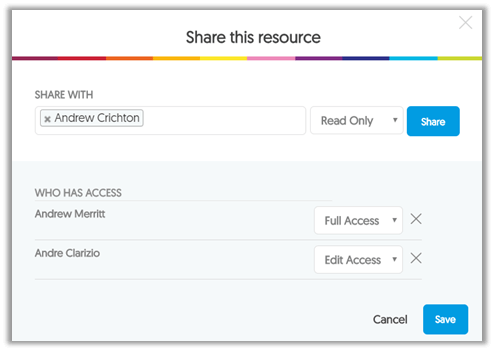
We know that often, course design is a collaboration between an instructional designer, professor or instructor and other IT professionals within your organization, depending on the complexity. With the Video Platform, everyone involved in the process can quickly and easily move content back and forth, sharing access between users for simplified collaboration.
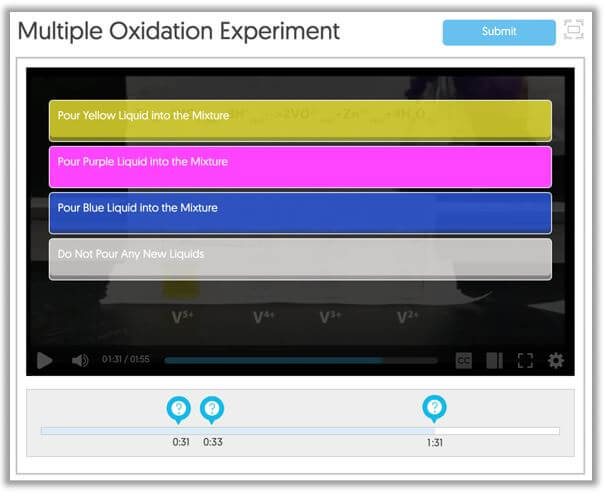
This feature allows Video Quiz creators to design a choose-your-own-adventure type video quiz. Additionally, a decision point question type provides the ability to customize the linear progression of a video-based quiz depending on the response to a proposed decision point. That sounds complicated, but the takeaway is that it enables an interactive user experience where video content can be sequenced in a non-linear fashion based on interactive input.
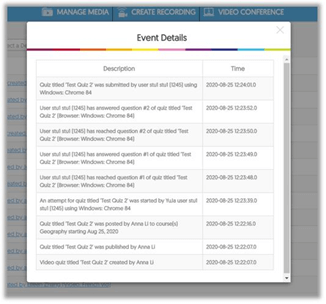
The Video Platform provides deeper audit logs of quiz events, from deleting to editing, publishing, quiz attempts and more. Additionally, with hundreds of thousands of audit log entries, the Video Platform offers a more robust notifications tab and better tracking of specific audit log events. Administrators also can create email subscriptions with requested notifications sent in real time to the user.
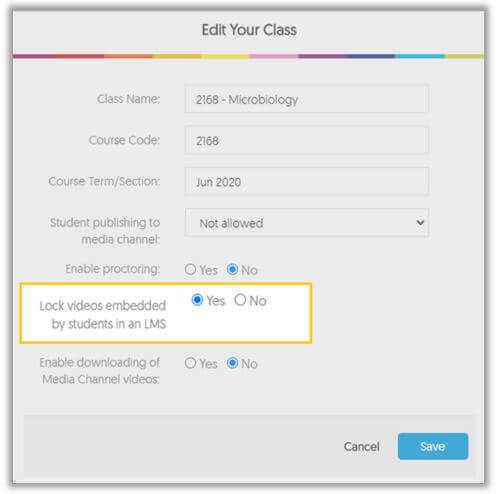
When users create and submit video assignments within an organization’s LMS, content can be auto-locked to prevent changes after submission. When locked, content embedded using the Media Chooser with Deep-Linking Enabled cannot be modified, moved, or deleted.
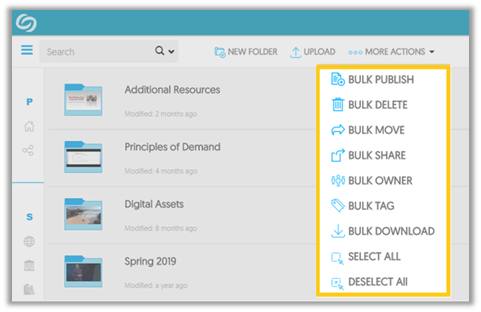
Bulk media management provides an effective way to manage content, including publishing, sharing, and tagging, all in one toolset. The Video Platform provides the ability to upload batches of media, as well as folders of content using web-based drag and drop and local and network drive drop folders. The YuJa Cloud automates the process of converting, transcoding, and formatting the video files into easy-to-view formats accessible on a variety of devices. (SCREENSHOT)
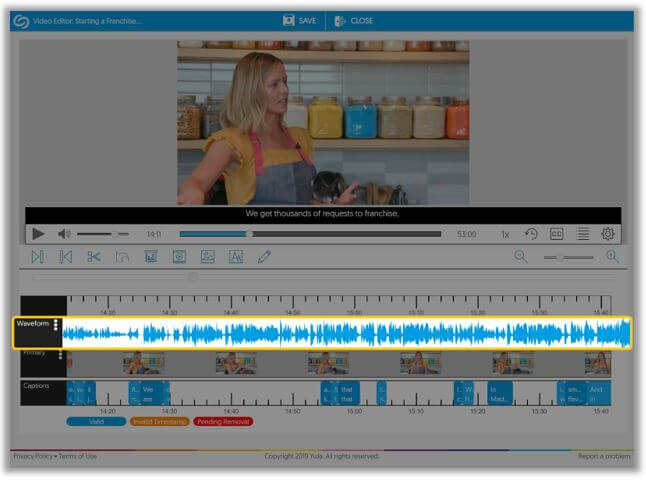
Users can amplify audio tracks in situations where the original audio track is too low with integrated Audio Level tools within the Video Editor. This capability fully re-encodes and amplifies the audio track while guarding against over-amplification.
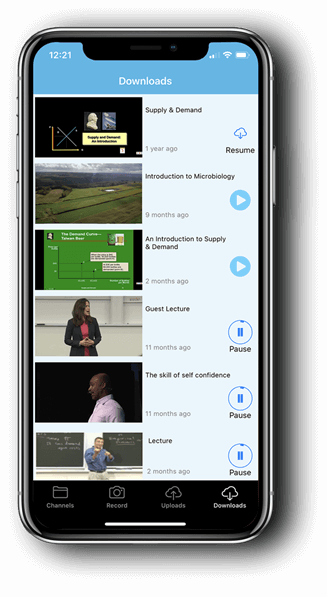
Users have the ability to download approved media for offline viewing (without WiFi or network connectivity). Whether users are downloading videos for studying on a plane or for viewing in an area with low or poor internet connection, they’ll be able to access videos any time from anywhere.
The YuJa Enterprise Video Platform recognizes that it is natural for users to make mistakes when using technology. As a result, we have extensively researched instances in which human error could arise and created “undo workflows” that allow users to correct their mistakes without having to expend time making corrections. Users can undo or replace slides, already published videos or other media and video edits.
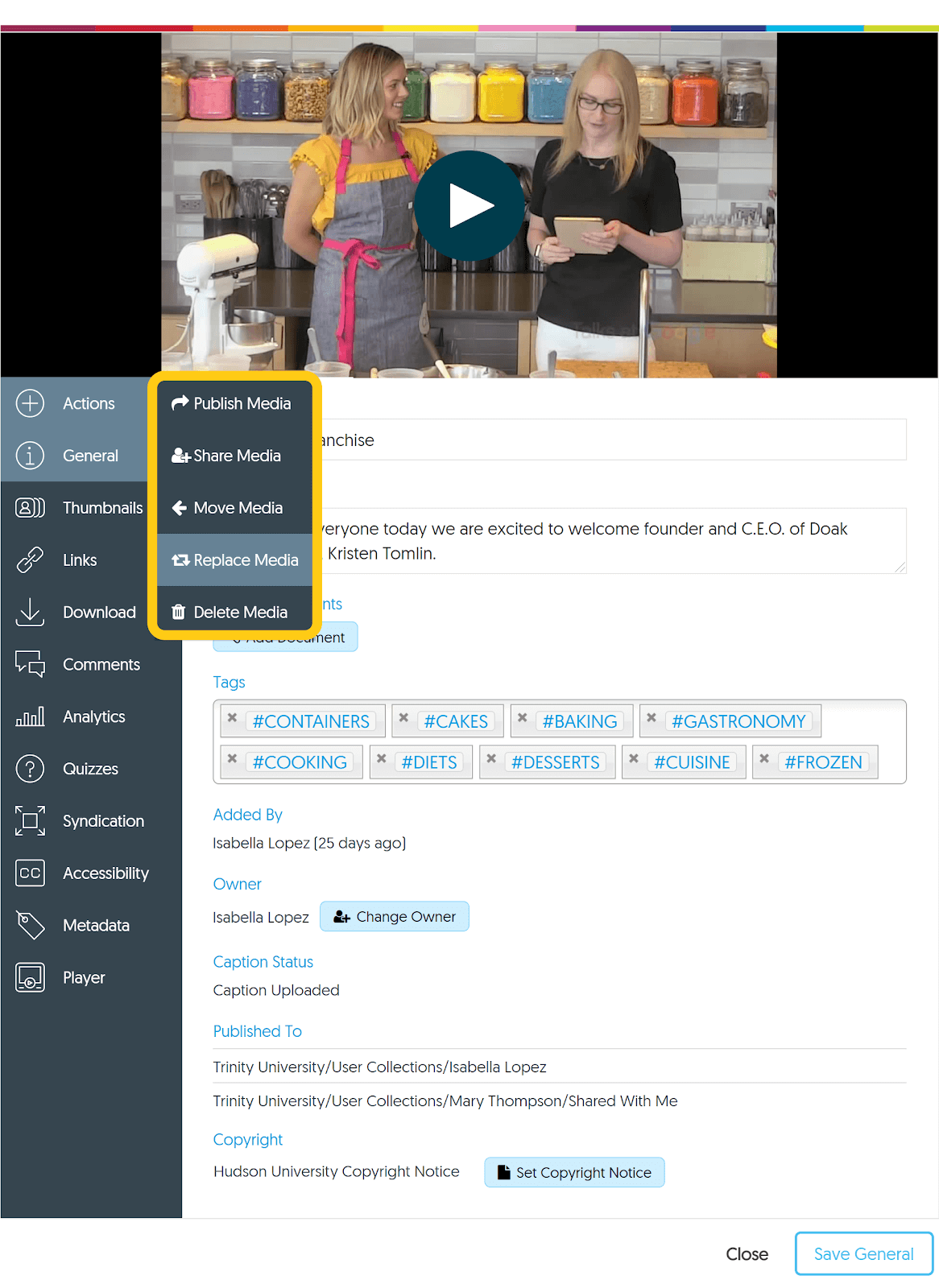
The Video Platform allows administrators to re-deploy an edited video or embed code published in several locations without the need to relink or republish content. Making edits post-publishing has never been quicker or easier.
Join the 1,000+ Organizations Deploying High-Impact Solutions














